Workplace Technology Strategy: A Leader's 2026 Playbook
- Sosa Solutions NYC
- Jul 27
- 14 min read

A workplace technology strategy is a structured plan that aligns your digital tools, infrastructure, and workflows with specific business outcomes — and its single non-negotiable job is to deliver a reliable Digital Employee Experience (DEX) that lets people do their best work without fighting their tools. Frameworks from Gartner and Forrester both treat this as an integrated operating model, not a shopping list of software. Done right, it connects every technology decision to a measurable business goal — faster onboarding, lower incident volume, higher retention — rather than leaving IT to manage a growing pile of disconnected platforms. This article draws on those frameworks, Work‑Tech Institute’s operating model research, and Sosasolutionsnyc’s hands-on retail IT experience to give you a practical, execution-ready playbook.
Table of Contents
Why a workplace technology strategy matters for your business
Common pitfalls that cause workplace technology strategies to fail
How to build and launch a workplace technology strategy step by step
Governance, security, and data management your strategy can’t skip
Measure success: KPIs, measurement routines, and continuous improvement
Implementation best practices and change management to maximize adoption
Retail store openings: a practical workplace technology checklist
What a workplace technology strategy actually covers
Most leaders assume a workplace technology strategy is about picking the right software. It isn’t. According to Work‑Tech Institute, a durable strategy rests on four domains: tools, norms, measurement, and governance. The tools domain gets all the attention; the other three are what determine whether those tools actually stick.
Here is what a complete strategy must address:
Digital tools and platform architecture. Cloud collaboration platforms (Microsoft 365, Google Workspace), unified communications (Teams, Zoom Phone), and project management software form the foundation. The goal is a coherent architecture, not a collection of subscriptions.
Automation and AI for routine workflows. Repetitive tasks — ticket routing, approval chains, report generation — are prime candidates for automation. Freeing employees from low-value work is one of the fastest ways to improve DEX.
Device and endpoint management. Consistent provisioning, patching, and lifecycle rules for every device your employees touch. Without this, security and support costs spiral.
Space and IoT-enabled operations. Desk booking, room sensors, and occupancy analytics matter more in hybrid environments where space utilization directly affects real estate spend.
Cybersecurity and data governance. Identity and access management, endpoint protection, and data classification are not optional add-ons. They are load-bearing walls.
Integration and APIs. Siloed tools create context switching, which kills productivity and frustrates employees. An integration layer (iPaaS tools like MuleSoft or Workato) keeps data flowing between systems without manual re-entry.
Measurement. KPIs tied to business outcomes — not just uptime metrics — tell you whether the strategy is working.
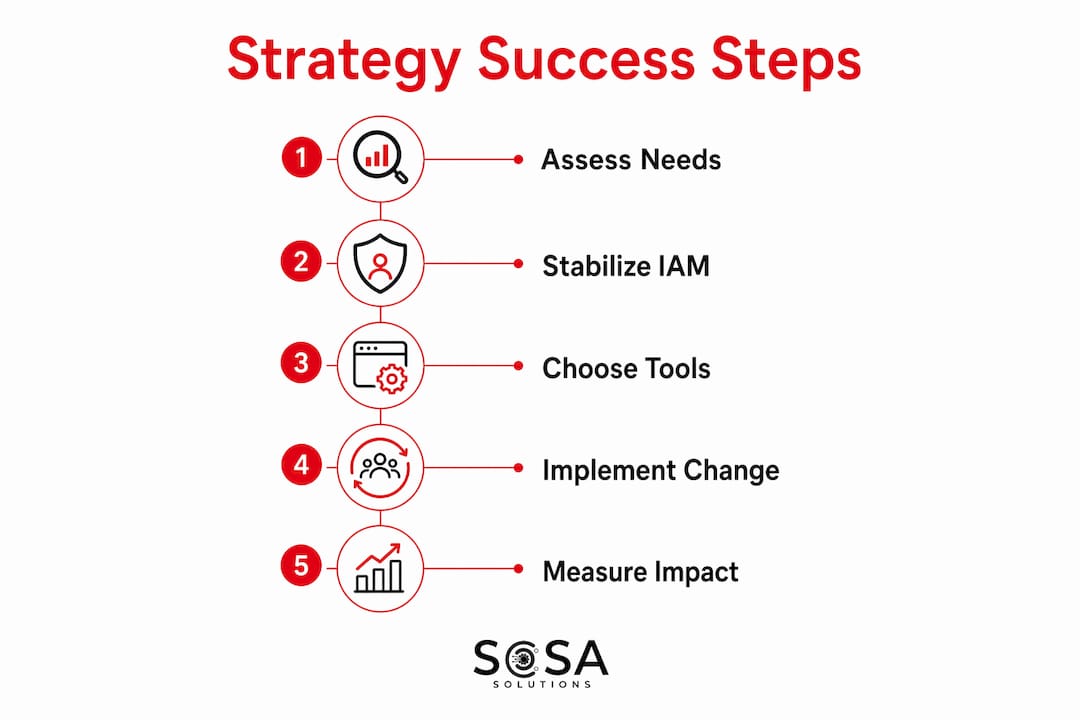
Pro Tip: Stabilize your identity and access management layer before touching anything else. Every other domain depends on knowing who has access to what. Skipping this step is the fastest route to tool sprawl and security gaps.
Why a workplace technology strategy matters for your business
The business case is cleaner than most leaders expect. When employees have the right tools, configured the way they actually work, productivity goes up and friction goes down. Onboarding time drops because new hires aren’t spending their first weeks hunting for access credentials or figuring out which of the seven chat channels is the right one. Retention improves because people who can do their jobs without constant IT friction are less likely to leave.
Slack’s research frames the benefits across three categories: protection (security and resilience), enhancement (productivity and user experience), and innovation (new capabilities that create competitive advantage). Leaders who treat technology as a core business capability — not a cost center managed separately from strategy — consistently outperform those who don’t.
The DEX angle is where the ROI argument gets specific. Work‑Tech Institute’s KPI benchmarks show that well-designed strategies can reduce time-to-decision by 20–30% and cut average time-to-full-productivity for new hires from roughly 90 days to roughly 60 days. Those numbers translate directly into labor cost savings and faster revenue contribution from new employees.
Stat to know: Many software implementations deliver desired outcomes less than half the time because of poor digital adoption and inadequate preparation — which means the ROI from a good change management plan is often larger than the ROI from the technology itself.
Customer experience also improves when internal operations run cleanly. A retail associate who can pull up inventory in real time, process a return without calling the help desk, and hand off a customer issue without losing context delivers a measurably better experience than one fighting a slow POS system.
Common pitfalls that cause workplace technology strategies to fail
The most common failure mode is starting with tools. A team gets excited about a new platform, buys licenses, and then discovers six months later that nobody uses it the way it was designed — because the norms, training, and governance were never defined. Forrester’s framework explicitly names alignment, adaptivity, and trust as the three principles a strategy must satisfy. When a tool rollout skips all three, failure is predictable.

Cross-functional misalignment is the hidden killer. A strategy owned entirely by IT tends to miss the people and space dimensions — HR’s onboarding workflows, Facilities’ desk policies, and the workforce lifecycle needs that shape how employees actually use technology day to day. When IT, HR, and Facilities don’t co-own the strategy, you end up with tools that solve IT’s problems while creating new ones for everyone else.
Shadow IT is the symptom, not the disease. When employees install their own tools — personal Dropbox accounts, unauthorized messaging apps, browser-based workarounds — it usually means the approved toolset isn’t meeting a real need. The fix isn’t a policy crackdown; it’s a governance process that surfaces those needs and routes them through a legitimate exception process.
Pro Tip: During a pilot, watch for three early warning signals: support ticket volume that doesn’t drop after week two, employees reverting to the old tool within the same workflow, and managers who stop referencing the new platform in team meetings. Any one of these signals a norm or training gap, not a technology problem.
Underestimating total cost of ownership (TCO) is another consistent trap. TCO must include integration costs, ongoing maintenance, training, device lifecycle, and the productivity cost of context switching between siloed tools — not just the per-seat license fee. A platform that looks cheap at purchase often costs more in integration debt than a pricier option with native connectors.
How to build and launch a workplace technology strategy step by step
A phased approach prevents the two most common mistakes: buying too much too fast, and never getting past the pilot stage.
Phase 1: Assess and define (months 0–3)
Audit the current state. Inventory every tool in use, including shadow IT. Map the workflows they support and identify where employees report the most friction. Gartner recommends building employee personas at this stage to make friction visible before you start evaluating solutions.
Define business outcomes. Translate executive priorities into measurable technology outcomes. “Improve employee experience” is not a target. “Reduce new-hire time-to-productivity from 90 to 60 days” is.
Map employee journeys. For each persona, trace the digital touchpoints from onboarding through daily work to offboarding. Note where tools break, where manual workarounds exist, and where data gets re-entered by hand.
Establish baseline KPIs. You cannot measure improvement without a starting point. Capture current onboarding time, tool adoption rates, incident volume, and employee satisfaction scores before changing anything.
Phase 2: Pilot and validate (months 3–9)
Prioritize by impact and feasibility. Score your identified gaps by business impact and implementation complexity. Start with the highest-impact, lowest-complexity items to build momentum and demonstrate value quickly.
Run structured pilots. Select a representative group (20–50 people across roles and locations), define success criteria in advance, and set a clear go/no-go decision date. A pilot without a decision gate is just a slow rollout.
Collect feedback systematically. Weekly pulse surveys, usage analytics, and structured interviews with pilot participants give you the data to refine before scaling.
Phase 3: Scale and govern (months 9–18)
Scale with a phased rollout. Roll out in waves, not all at once. Each wave should incorporate lessons from the previous one.
Establish governance. Create a decision charter, tool lifecycle policy, and exception process before scaling. These artifacts prevent the next wave of shadow IT.
Build a measurement routine. Monthly KPI reviews, quarterly strategy reviews, and an annual lifecycle audit keep the strategy current as the business evolves.
Pro Tip: Budget a significant portion of your total technology investment for training and change management. Many organizations budget for licenses and infrastructure, then discover insufficient funding for adoption support — a key reason many implementations underperform.
How to evaluate and choose the right workplace technologies

The decision matrix below gives you a repeatable framework for comparing platforms or tools without getting distracted by feature lists.
Criterion | Why it matters | Weight (1–5) | Score tool A | Score tool B |
Scalability | Can it grow with headcount and new locations? | 5 | — | — |
Integration / APIs | Does it connect to your existing stack without custom dev? | 5 | — | — |
User experience (UX) | Will employees actually use it without training every six months? | 4 | — | — |
Accessibility | Does it meet WCAG AA standards for all employees? | 4 | — | — |
Security and compliance | Does it satisfy your data classification and regulatory requirements? | 5 | — | — |
Vendor support | What are the SLA commitments and support tier options? | 3 | — | — |
Total cost of ownership | What does it cost over three years, including integration and training? | 4 | — | — |
Analytics and reporting | Can it surface the KPIs you defined in phase one? | 3 | — | — |
Score each tool 1–5 per criterion, multiply by the weight, and sum the columns. The matrix won’t make the decision for you, but it forces the conversation away from “which tool has the best demo” toward “which tool fits our actual requirements.”
When evaluating tools, keep these selection principles in mind:
Pilot size matters. Twenty to fifty users is enough to surface real adoption patterns. Larger pilots delay decisions without improving data quality.
Define success signals before you start. Daily active usage rate, reduction in support tickets, and employee satisfaction scores are more reliable than anecdotal feedback from champions.
Retire tools deliberately. A tool lifecycle policy should specify when a tool gets reviewed, what triggers a retirement decision, and how data migration is handled. Without this, your stack grows indefinitely.
Governance, security, and data management your strategy can’t skip
Governance is what separates a strategy that lasts from one that gets rebuilt every two years. Protiviti’s technology strategy work consistently includes governance frameworks and operating model design as core deliverables — not afterthoughts.
The minimum governance artifacts every organization needs:
Decision charter. Who approves new tools? Who can grant exceptions? What’s the escalation path when a department wants something outside the approved stack?
Tool lifecycle policy. When does a tool get reviewed? What criteria trigger retirement? How is data migrated when a tool is decommissioned?
Exception process. A formal, fast-track path for legitimate needs that fall outside the approved stack. Without this, employees route around IT — and shadow IT grows.
Roles and decision rights. Clear ownership for each domain (IT owns endpoint management, HR owns onboarding workflows, Facilities owns space technology). Ambiguous ownership means nothing gets maintained.
Review cadence. Monthly operational reviews, quarterly strategy reviews, and an annual architecture audit.
Security and data management essentials before scaling any new tool:
Identity and access management (IAM): role-based access, single sign-on (SSO), and multi-factor authentication (MFA) as baseline requirements.
Endpoint protection: managed detection and response (MDR) or at minimum a centrally managed endpoint security platform.
Data classification: a four-tier model (public, internal, confidential, restricted) applied consistently across all platforms.
Backup and recovery: tested recovery procedures, not just backup schedules. Cloud backup practices should include documented recovery time objectives (RTOs) and recovery point objectives (RPOs).
Vendor risk assessment: a standard questionnaire covering data residency, breach notification timelines, and subprocessor disclosure before any new vendor is approved.
Pro Tip: Run a tabletop exercise before you scale a new tool. Simulate a data breach or system outage involving that tool and walk through your response. You will find gaps in your access controls and incident response plan that no checklist would have caught.
Measure success: KPIs, measurement routines, and continuous improvement
KPIs are only useful if they connect to the business outcomes you defined in phase one. Uptime and ticket volume are operational metrics; they tell you if IT is functioning, not whether the strategy is working.
KPI | Why it matters | Target / benchmark | Data owner |
Time-to-full-productivity (new hires) | Measures onboarding efficiency and DEX quality | Reduce from ~90 to ~60 days | HR + IT |
Tool adoption rate | Tracks whether employees actually use approved tools | >80% daily active usage at 90 days post-launch | IT / Analytics |
Mean time to resolution (MTTR) | Measures incident response speed and support quality | Varies by severity; track trend, not absolute | IT Service Desk |
Time-to-decision | Measures how quickly employees can access the information they need | 20–30% reduction from baseline | Business unit leads |
Employee satisfaction score (DEX) | Tracks perceived quality of digital tools and support | Quarterly pulse; target upward trend | HR / IT |
Customer-facing cycle time | Measures operational efficiency visible to customers | Varies by process; track trend | Operations |
The measurement routine matters as much as the metrics. A monthly dashboard reviewed by IT alone won’t surface the people and space issues that HR and Facilities own. Build a cross-functional review: IT, HR, and Facilities leads meet monthly on operational KPIs; a broader leadership group reviews strategy KPIs quarterly. Use the quarterly review to decide whether any tools need to be retired, any norms need to be updated, or any new pilots are warranted. Retail system monitoring tools can automate much of the data collection, reducing the manual effort of keeping dashboards current.
Implementation best practices and change management to maximize adoption
Technology doesn’t fail at the architecture level nearly as often as it fails at the adoption level. Poor digital adoption is the primary reason software implementations miss their intended outcomes — and it’s almost always preventable.
Rollout checklist:
Identify executive sponsors for each major tool rollout — not just IT sponsors, but business-unit leaders who will model the behavior.
Select pilot participants who represent the full range of roles, technical comfort levels, and locations. Avoid stacking the pilot with enthusiasts.
Define a phased rollout schedule with clear wave dates, go/no-go criteria, and a communication plan for each wave.
Build feedback loops into the rollout: weekly pulse surveys during the pilot, a dedicated feedback channel, and a documented process for acting on what you hear.
Set a hard cutover date for retiring the old tool. Open-ended parallel running is where adoption goes to die.
Training plan essentials:
Map training to employee personas, not job titles. A store manager and a corporate analyst may share a job title but have completely different workflows.
Use a mix of modes: short video walkthroughs (under five minutes) for initial orientation, hands-on labs for complex workflows, and microlearning refreshers at the 30- and 60-day marks.
Measure training completion and correlate it with adoption rates. If high-completion groups still show low adoption, the training content is the problem, not the employees.
Designate technology champions in each department — peer advocates who can answer questions in the flow of work without opening a support ticket. A well-run IT helpdesk workflow supports champions with escalation paths and knowledge base access.
Adoption signals to watch:
Daily active usage rate climbing past 80% within 90 days of launch.
Reduction in support tickets related to the old tool’s workflows.
Managers referencing the new tool in team meetings and decision-making.
Employees reporting reduced context switching between platforms.
Retail store openings: a practical workplace technology checklist
Retail store openings are one of the highest-stakes applications of a workplace technology strategy. Every domain of the strategy must be operational on day one — there’s no grace period when customers are walking through the door. Here’s how the strategy maps to a store opening, sequenced by phase.
Vendor selection and infrastructure (weeks 1–4 before opening):
Confirm ISP and backup connectivity (fiber primary, LTE failover) and validate bandwidth against POS and cloud application requirements.
Select and procure POS hardware, payment terminals, and back-office devices. Verify PCI DSS compliance for all payment-processing components.
Finalize network architecture: segmented VLANs for POS, staff devices, and guest Wi-Fi.
Complete vendor risk assessments for all new software vendors.
On-site validation (days 7–1 before opening):
Install and configure network infrastructure; validate coverage across the full sales floor.
Provision all devices with the approved endpoint management platform (Jamf for Apple, Microsoft Intune for Windows/Android).
Integrate POS with inventory management and e-commerce platforms; test end-to-end transaction flows. Retail IT infrastructure guides cover the full validation checklist for new store builds.
Confirm backup and recovery procedures are active and tested.
Validate security camera, alarm, and access control integrations.
Day 0–7 (opening week):
On-site IT support present for the first three trading days minimum.
Monitor all systems in real time; escalation path clearly defined and tested.
Capture every incident and near-miss for the post-opening review.
Staff onboarding (days 7–30):
Complete POS and inventory system training for all staff before their first shift.
Run hands-on payment processing and return workflow drills.
Establish the support channel (helpdesk number, chat, or on-site champion) and confirm every employee knows how to use it.
Review online liquidation and wholesale platform trends if the store carries liquidation inventory — staff need to understand how sourcing platforms connect to in-store inventory systems.
Sosasolutionsnyc provides store opening IT solutions across New York and Florida, covering infrastructure readiness, device provisioning, POS integration, and on-site support for retail launches of all sizes.

Key Takeaways
A workplace technology strategy succeeds when it ties every tool decision to a measurable business outcome and builds governance, norms, and measurement before locking in major platform investments.
Point | Details |
Lead with DEX, not tools | Map employee personas and digital friction points before evaluating any platform. |
Sequence the four domains | Establish norms and measurement first, then governance, then major technology investments to avoid rework. |
Measure what matters | Target KPIs like time-to-productivity (90 to 60 days) and time-to-decision (20–30% reduction) tied to business outcomes. |
Govern before you scale | Create a decision charter, lifecycle policy, and exception process before rolling out to the full organization. |
Adoption drives ROI | Budget 15–20% of total technology investment for training and change management — poor adoption is the primary reason implementations miss their goals. |
The part most technology strategies get wrong
Most workplace technology strategies fail not because the technology was wrong but because the sequence was wrong. Organizations buy the platform, then try to retrofit the norms, governance, and measurement around it. That’s backwards — and it’s expensive to fix.
What actually works is treating the strategy as an operating model that runs continuously, not a project that ends at go-live. The tools will change. The norms, governance structure, and measurement routines are what make the strategy durable. When a new platform comes along — and one always does — an organization with strong governance can evaluate it against defined criteria, pilot it with a clear success threshold, and retire the old tool on a schedule. An organization without that infrastructure just adds another subscription to the pile.
The retail store opening context makes this especially clear. A store that opens with a solid technology checklist but no ongoing governance model will drift within six months: shadow apps appear on staff devices, the POS integration breaks and nobody owns the fix, and the IT support model that worked for one location doesn’t scale to five. The checklist is the starting point. The operating model is what keeps it working.
For leaders who want to move from insight to action, the first deliverable is simple: a one-page technology strategy document that states your business outcomes, your current DEX gaps, your governance structure, and your top three priorities for the next 90 days. Everything else flows from that.
Useful sources for deeper reading
Gartner on Digital Employee Experience: Gartner’s DEX framework covers employee persona design, digital friction reduction, and how to treat the digital workplace as an integrated operating system. Start here for the strategic framing.
Forrester on technology strategy principles: Forrester’s three-principle model (alignment, adaptivity, trust) is the clearest articulation of what separates a technology strategy from a technology roadmap.
Work‑Tech Institute on the digital workplace operating model: The most practical source in this list. Covers the four-domain model (tools, norms, measurement, governance), sequencing guidance, and KPI benchmarks including the 20–30% time-to-decision target.
Skedda on modern workplace technology and adoption: Useful for understanding why adoption fails and what preparation looks like in practice. The data on implementation success rates is the most-cited finding in change management discussions.
Protiviti on technology strategy workstreams: Covers the full scope of technology strategy engagements — IT strategic planning, cloud strategy, enterprise architecture, operating model design, and governance frameworks.
Sosasolutionsnyc store opening IT solutions: Sosasolutionsnyc’s service page for retail store openings in New York and Florida — infrastructure readiness, device provisioning, POS integration, and on-site support.
Recommended
Comments