Retail Store Tech Audit Process: Owner & IT Manager Guide
- Sosa Solutions NYC
- Jul 31
- 8 min read
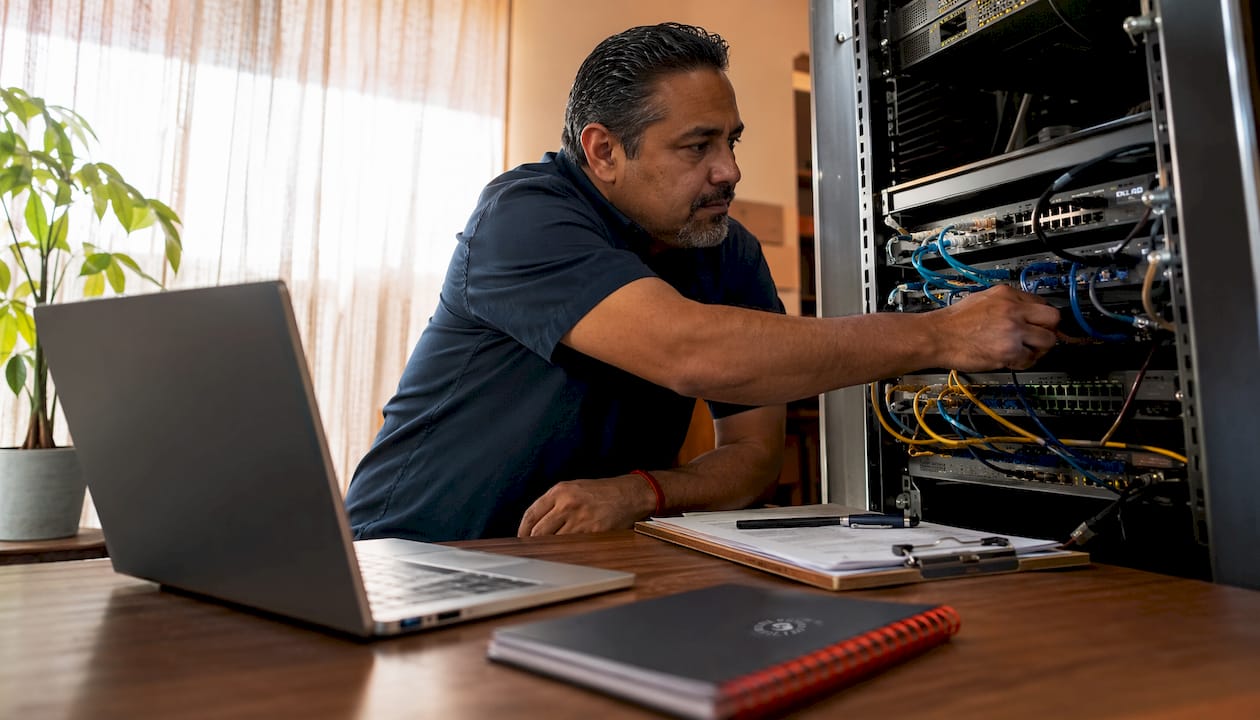
Run a retail store tech audit before opening or during estate management to surface operational gaps, security exposures, and end-of-life risks before they cost you a launch or a customer.
Start here, within the next 72 hours:
Owner quick check: Walk the floor and confirm every POS terminal powers on, connects to the network, and completes a test transaction end-to-end.
Network ping test: From a store device, ping your primary payment gateway and your back-office server. Latency above a moderate threshold under no load is a red flag.
Contact a managed IT provider: If you cannot answer “who owns remediation when a critical system fails on opening day,” you need that answer before you open.
Verify evidence controls: Confirm your audit platform requires geo-fenced submissions and live-capture photos, not gallery uploads, per standards documented by Yoobic’s audit guide.
Sosasolutionsnyc executes these audits for retail stores in New York and Florida. Stern Technology Advisory’s readiness diagnostic provides the scoring framework referenced throughout this guide.
Table of Contents
What does a retail technology assessment actually cover?
A retail IT infrastructure assessment covers four domains, and skipping any one of them leaves a blind spot that will show up at the worst possible time.

1. Physical network and power. This is your cabling, switches, routers, UPS units, and ISP redundancy. A software audit will never catch a failing UPS or a single-ISP dependency. Business impact: a network outage during peak hours stops every transaction in the store.
2. POS, hardware, and peripherals. Terminals, receipt printers, barcode scanners, payment PIN pads, and cash drawers. POS and payments cannot be evaluated separately from each other or from the network they run on. Business impact: checkout speed and pricing accuracy depend on all three working together.
3. Security and surveillance. Cameras, NVR/DVR systems, access control, and network segmentation between guest Wi-Fi and your POS VLAN. Business impact: shrink risk and PCI-DSS exposure both live here.
4. Cloud services and integrations. Your POS cloud backend, inventory management platform, payment processor APIs, and any third-party integrations. Business impact: a broken integration between your inventory system and your e-commerce platform creates phantom stock and failed orders.
Pro Tip: Infrastructure assessments differ from software-only reviews. Physical vulnerabilities, lifecycle gaps, and runbook readiness must be evaluated in person, not from a dashboard.
How to run a retail store tech audit step by step
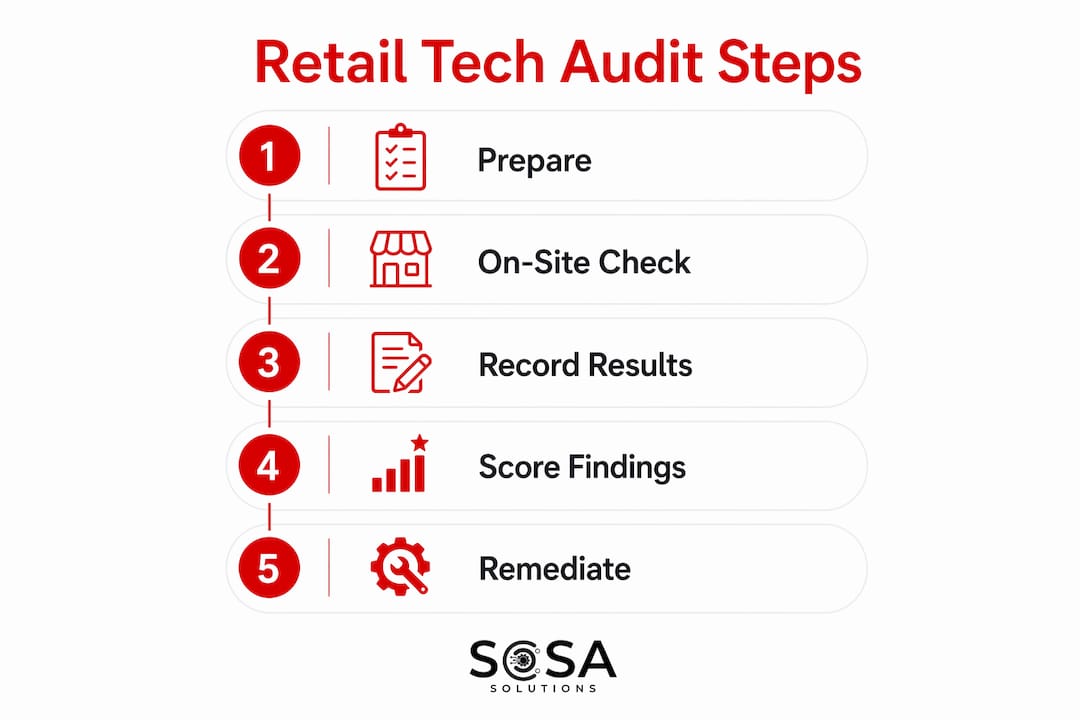
The process runs in five phases: prepare, test on-site, score findings, report, and remediate. Here is how each phase works in practice.
Preparation steps
Define scope: which stores, which systems, and what the audit will and will not cover.
Notify store management at least 48 hours in advance; confirm access credentials and key contacts.
Document data protection steps: confirm no customer PII will be captured in test logs.
Select a pilot store if this is your first audit, ideally a mid-volume location that represents your typical estate.
Prepare your evidence folder structure before arriving on-site.
On-site checklist
Item | Test to run | Acceptance criterion |
Network connectivity | Ping gateway + traceroute to payment processor | moderate latency threshold, zero packet loss |
Throughput | Speed test from POS VLAN | sufficient download and upload speeds for smooth operation |
Power redundancy | Simulate ISP cut; verify UPS holds | UPS sustains POS for a short duration to cover power interruptions |
POS transaction | End-to-end sale, refund, and void | All three complete without error |
Camera live-capture | Trigger recording; verify geo-fenced submission | Timestamped, no gallery upload permitted |
Backup/restore | Initiate restore from last backup | Restore completes; data integrity confirmed |
Recording results and deliverables
Run ping and traceroute from a store device, not from your laptop on a separate network. Use a tool like iPerf3 for throughput. Log every result with a timestamp and a photo of the screen showing the output. Your final report should include: an executive summary (one page), scored findings by domain, a severity-ranked remediation plan, and an evidence folder containing photos, logs, and test outputs.
How do you score findings and set remediation timelines?
EOL and unsupported platforms get prioritized for replacement within 12 months because vendors routinely add premium support fees after end-of-life announcements, and those fees compound fast. Security and operational failures get addressed immediately.
Severity | Category | Recommended SLA |
Critical | POS down, network outage, active security breach | Immediate (same day) |
High | Single point of failure, failed backup, EOL OS in production | 0–30 days |
Medium | Degraded throughput, outdated firmware, integration errors | 30, 60, and 90 days |
Low | Cosmetic issues, minor config drift | Next maintenance window |
Weighted scoring example: Assign each domain a weight (network/power: 30%, POS/hardware: 30%, security: 25%, cloud/integrations: 15%). Score each finding 1–5 by severity. Multiply finding score by domain weight to get a priority index. A critical network finding scores 5 × 0.30 = 1.50; a low cloud finding scores 1 × 0.15 = 0.15. Sort your remediation backlog by priority index, highest first.
On cost: managed IT remediation typically costs less than emergency break-fix, especially for multi-site estates. Budget separately for replacement versus patching. EOL hardware replacement is a capital line; firmware updates and config fixes are operational. For smaller stores, affordable IT options exist that do not require a full enterprise contract.
What makes a vendor evaluation and pilot actually work?
Require hypothesis-driven pilots with representative stores and pre-defined quantitative targets. Pilots designed to produce confidence rather than decisions are the single most common way retailers end up locked into the wrong platform.
Vendor scoring rubric
Operating-model fit: Does the vendor’s support model match your store hours and escalation needs? Request a sample incident log.
Integration architecture: Map every integration your POS or ERP will need. Test with your real data model, not a canned demo. Complex orders, promotions, and returns must all run cleanly.
Support model: What are the actual SLAs for P1 incidents? Get them in writing.
TCO realism: Build a 7-year total cost of ownership. Organizations consistently underestimate ongoing maintenance costs for in-house builds versus purchased platforms.
Reference performance: Speak to a retailer of similar size and complexity, not a flagship reference the vendor hand-picked.
Pilot checklist and metrics
Select stores that represent your average, not your best performers.
Run a neutral control group alongside the pilot group.
Duration: several weeks minimum, with predefined go/no-go thresholds set before the pilot starts.
Metrics to collect at 30, 60, and 90 days: transaction throughput, integration error rate, checkout time, pricing accuracy rate, and support ticket volume.
Run integration stress tests: high-volume promotions, returns, and split-tender transactions.
Run a readiness diagnostic before you issue any RFP
Most technology modernization programs fail for predictable reasons: unclear outcomes, underestimated integration work, unallocated capacity, and late change management. A readiness diagnostic surfaces these before you spend money on vendor selection.
Check each area and score it 0–100:
Outcomes and sponsorship: Is the business outcome defined? Does a named executive own it?
Systems and integrations: Are all affected systems inventoried? Are integration owners assigned?
Organizational capacity: Does the team have bandwidth, or are they already at capacity?
Vendor and partner readiness: Have key vendors confirmed their integration timelines?
Adoption and training: Is a change management plan in place before go-live?
Any section scoring below 60% is a highest-probability failure point. Pause the RFP process for that area. Address staffing gaps, define integration owners, and resolve sponsorship ambiguity before proceeding. Common failure causes documented by Stern Technology Advisory include resource allocation shortfalls and decision authority that sits too low in the organization to unblock integration work.
What does a proper audit evidence package look like?
A proper audit produces a closed, verifiable record, not just a completed checklist. Geo-fenced submissions, live-capture photos, automatic timestamping, and a full audit trail are minimum capability thresholds, not nice-to-haves.
Required deliverables for every audit:
Executive summary with overall readiness score
Scored findings by domain with severity ratings
Remediation plan with named owners and SLA dates
Evidence package: geo-fenced photos, timestamped test logs, transaction audit trail
Stabilization plan for the 30 days following remediation
Evidence requirements: submissions must be geo-fenced to the store location, photos must be live-capture only (no gallery uploads allowed), logs must carry automatic timestamps, and transactional tests must produce an audit trail. Shadow-audit spot checks on a random sample of stores catch fabricated submissions before they reach headquarters.
Recommended cadence: Quarterly full assessments for the full estate, higher-frequency remote checks for critical or high-volume stores, and an immediate re-check within two weeks of any critical remediation.
Pro Tip: Set up remote monitoring between quarterly audits so critical failures surface in real time, not at the next scheduled visit.
Key Takeaways
A structured retail store tech audit, run quarterly with geo-fenced evidence and a weighted scoring model, is the most reliable way to prevent launch failures and avoid costly platform commitments.
Point | Details |
Run the readiness diagnostic first | Score all five areas before issuing an RFP; any section below 60% requires remediation before vendor selection. |
Prioritize EOL systems | Unsupported platforms should be replaced within 12 months to avoid vendor premium fees and security exposure. |
Require verifiable evidence | Geo-fenced submissions, live-capture photos, and timestamped logs are minimum standards for a closed audit record. |
Design pilots to decide, not to confirm | Use neutral control stores, predefined metrics, and go/no-go thresholds set before the pilot begins. |
Sosasolutionsnyc for managed execution | Sosasolutionsnyc delivers on-site audits, remediation project management, and 30/60/90 stabilization plans for retail stores in New York and Florida. |
The audit gap most retailers never close
The readiness diagnostic is the step most retail IT teams skip, and it is the one that explains why so many store openings hit the same avoidable failures. A network that passes a basic ping test can still fail under real transaction load. A POS that works in isolation can break the moment it talks to a new inventory integration. These are not exotic failure modes. They show up in stores that skipped the structured pre-audit phase and went straight to vendor selection.
The other pattern worth naming: pilots that use the vendor’s preferred stores and measure sentiment instead of throughput. A vendor-designed pilot will almost always produce a positive result. The question is whether that result transfers to your average store, your real integration stack, and your actual support load. Hypothesis-driven pilots with neutral controls are harder to set up, but they are the only ones that produce a decision you can defend six months later.
Quarterly audits with a proper evidence package are not overhead. They are the mechanism that keeps your estate from drifting into a state where the next store opening becomes a fire drill.
Sosa Solutions handles the audit so you can focus on the opening
Retail store openings in New York and Florida move fast, and the gap between a passed checklist and a store that actually stays up under opening-day load is where most IT problems hide. Sosasolutionsnyc fills that gap with managed execution: readiness diagnostics, on-site tech audits, remediation project management, pilot governance, and 30/60/90 stabilization plans built specifically for retail environments.

The engagement is straightforward. A quick readiness scan identifies your highest-risk areas. A scoped on-site audit produces a scored findings report with named owners and SLA dates. Remediation runs against that plan, with Sosasolutionsnyc managing vendors and timelines. After go-live, the handoff to ongoing managed IT support keeps the store stable through the first 90 days and beyond.
If you have a store opening coming up or an estate that has not had a structured technology review, get your store opening IT plan started with Sosasolutionsnyc today.
Useful sources and further reading
Technology Modernization Readiness Assessment — Stern Technology Advisory’s diagnostic framework and 60% threshold guidance
Retail Technology Pilot Playbook — Hypothesis design, go/no-go thresholds, and scaling guidance
Store Technology and POS Strategy for Retail — Holistic evaluation of POS, payments, and associate tools
The Complete Guide to Retail Store Visits and Audits — Geo-fencing, live-capture evidence standards, and audit architecture
Retail IT Infrastructure Assessment — Four-domain framework and quarterly cadence guidance
Retail Technology Stack Assessment — EOL platform timelines and vendor viability evaluation
Network Security Checklist for Small Business — Practical network security configuration checklist
Retail Store IT Infrastructure Guide — Sosasolutionsnyc’s infrastructure checklist and assessment cadence
Retail IT Asset Management Guide — EOL planning and device lifecycle management
Common Retail Store IT Failures — Field-documented failure patterns and mitigation strategies
Contact Sosasolutionsnyc directly to request a readiness diagnostic template or pilot playbook tailored to your store count and estate complexity.
Recommended
Comments