POS Installation Cost: A Complete SMB Budget Guide
- Sosa Solutions NYC
- Aug 10
- 13 min read
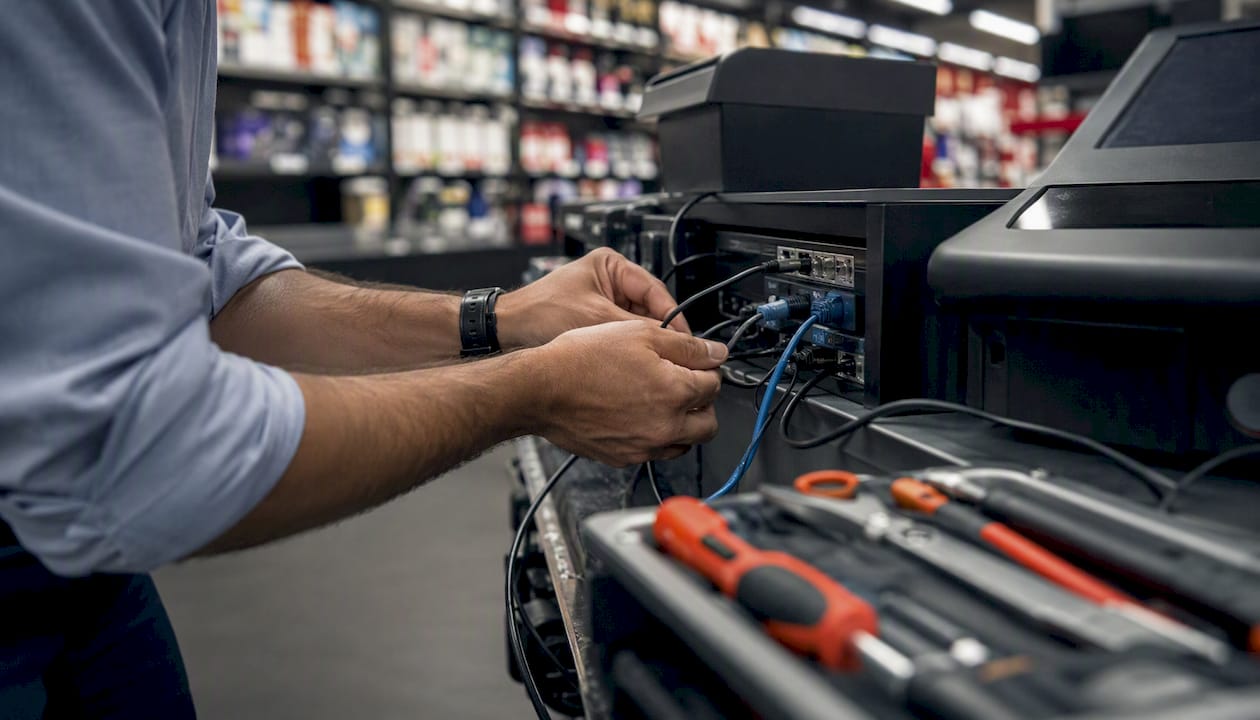
Most small businesses spend between $1,000 and $3,500 in their first year on a complete POS setup, covering hardware, software, and installation. Entry-level mobile setups can come in under $300, while a full-service restaurant or multi-terminal retail store can push past $10,000 once you factor in network upgrades, data migration, and professional configuration. The single most important thing you can do before signing anything: ask every vendor for a three-year total cost of ownership, not just a first-year quote.
Quick first-year POS budget ranges for a single-location SMB:
Entry-level mobile setup: $300–$800 (tablet, card reader, basic software subscription)
Standard countertop retail or café: $1,500–$4,000 (terminal, printer, cash drawer, software, professional install)
Full-service restaurant or multi-terminal retail: $5,000–$15,000+ (multiple terminals, KDS, network upgrades, data migration, managed install)
Hardware complexity and the number of terminals are the two biggest cost drivers. Professional installation and custom integrations are where budgets most often run over.
Key Takeaways
Most SMBs should budget $1,500–$5,000 for a single-location POS installation in the first year, with hardware complexity, terminal count, and network readiness driving the largest cost differences.
Point | Details |
First-year budget range | Most single-location SMBs spend $1,000–$5,000; mobile setups start under $300, full-service restaurants exceed $10,000. |
Biggest cost drivers | Terminal count, professional installation scope, data migration, and network infrastructure upgrades move the needle most. |
Processing fees scale fast | At $250,000 in annual card sales, processing fees at 2.6% + $0.10 add roughly $7,214/year to your total cost. |
Network readiness is non-negotiable | Cloud POS depends on business-grade Wi-Fi, a dedicated POS VLAN, and UPS on every terminal; consumer routers cause most cloud POS downtime. |
Sosasolutionsnyc for managed installs | Sosasolutionsnyc provides end-to-end store opening IT and POS installation support in New York and Florida, including a three-year TCO review with every proposal. |
Table of Contents
What does POS installation cost include?
Before you can compare vendor quotes line by line, you need to know what buckets those quotes should contain. A complete POS setup cost breaks down into these components:
Hardware (one-time): physical devices including terminals, card readers, printers, and scanners
Software/subscription (recurring monthly or annual): the platform license, per-terminal or per-location fees
Payment processing fees (variable, ongoing): a percentage of every transaction, sometimes plus a flat per-transaction cent amount.
Installation and setup (one-time): on-site or remote configuration, device programming, and initial testing
Data migration (one-time): transferring your existing product catalog, customer records, or historical sales data from a legacy system
Network and IT infrastructure (one-time or periodic): Wi-Fi access points, managed switches, cabling, and UPS devices
Training (one-time, sometimes recurring): staff onboarding, either on-site or via remote sessions
Warranties and support contracts (recurring): hardware replacement plans and software support tiers
Add-ons and integrations (recurring): loyalty programs, accounting connectors, e-commerce sync, advanced reporting
Any quote missing more than two of these buckets is incomplete. Request a line-item breakdown before comparing proposals.
How much does POS hardware actually cost?
Hardware is usually the largest single one-time expense, and the range is wide. Industry data indicates typical SMB hardware bundle costs cover a range from several hundred to nearly two thousand dollars (https://www.poszeo.com/blog-channel/cost-of-a-point-of-sale-system-in-2026/), but that figure shifts quickly once you add terminals or specialized peripherals.
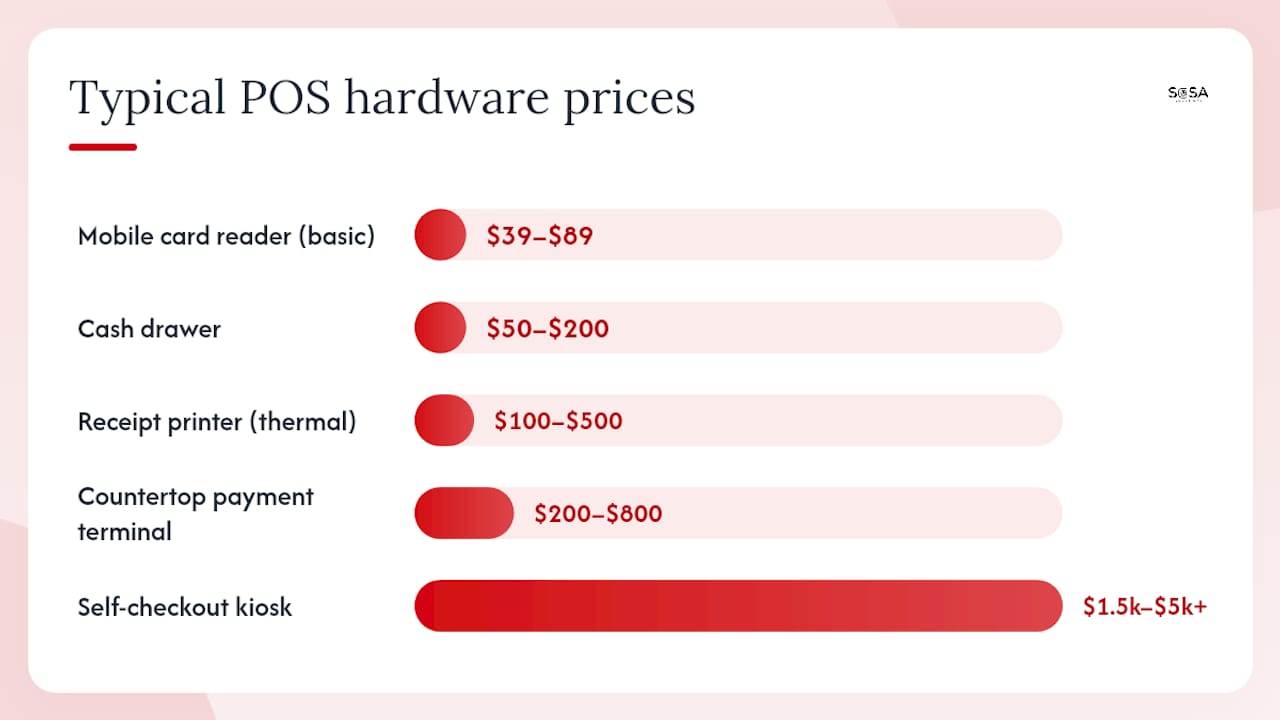
Per-item price ranges
Hardware Item | Typical Price Range |
Mobile card reader (basic) | $39–$89 |
Countertop payment terminal | $200–$800 |
Tablet POS stand + tablet | $150–$400 |
Receipt printer (thermal) | $100–$500 |
Cash drawer | $50–$200 |
Barcode scanner (handheld) | $75–$300 |
Kitchen display system (KDS) | $300–$800 per terminal |
Self-checkout kiosk | $1,500–$5,000+ |
Three configuration examples
Entry-level mobile (food truck, market vendor, pop-up): tablet + card reader + basic stand. Estimated hardware subtotal: $300–$600.
Standard countertop bundle (single-location boutique or café): countertop terminal, receipt printer, cash drawer, barcode scanner. Estimated hardware subtotal: $600–$1,400.
Pro multi-terminal restaurant/retail bundle: two to four countertop terminals, two KDS screens, receipt printers at each station, barcode scanners, cash drawers. Estimated hardware subtotal: $3,000–$8,000.
Costs jump when you add industrial-grade devices built for high-volume environments, custom mounting hardware, integrated scales for grocery or deli counters, or self-checkout kiosks. Each of those is a separate line item, not a rounding error.
For the terminal itself, buy new. A refurbished payment terminal that fails PCI certification during setup costs you more in rework than you saved.*
What do software subscriptions and add-ons cost per month?
POS software is structured as recurring subscriptions, and the monthly bill grows faster than most owners expect once add-ons enter the picture.
Typical monthly ranges for SMBs run from around $39 on entry-level retail plans up to $399 or more for enterprise tiers with multi-location management and advanced analytics. Most single-location shops land somewhere in the $39–$89 range for a base plan. Per-terminal or per-location licensing fees stack on top of that base rate, so a three-terminal setup on a $69/month plan with $40/month per additional terminal costs $149/month before any add-ons.
Common add-ons that inflate monthly bills:
Loyalty and rewards programs: $25–$75/month
Accounting integrations (QuickBooks, Xero): $15–$50/month
E-commerce sync: $20–$80/month
Advanced reporting and analytics: $20–$60/month
Online ordering or delivery connectors: $30–$100/month
Gift card programs: $15–$40/month
A few things to confirm before signing:
Ask whether the setup or data migration fee is bundled into the first month’s software charge or billed separately.
Confirm whether add-ons are locked to specific plan tiers or available à la carte.
Check whether per-terminal fees apply to inactive terminals during slow seasons.
Verify the auto-renewal terms and whether pricing is locked for the contract period.
Some vendors include a one-time onboarding fee of $100–$500 on top of the first month’s subscription. Others waive it if you commit to an annual plan. Always ask.
How do payment processing fees affect your total cost?
Processing fees are variable costs that scale directly with your sales volume, which makes them easy to underestimate in a first-year budget.
Payment processing fees for SMBs commonly fall in a range from slightly above two to approximately three and a half percent per transaction, depending on various factors (https://www.investopedia.com/how-much-does-pos-system-cost-8653584), depending on the processor, card type, and rate structure. The three main structures you’ll encounter:
Flat-rate pricing: a fixed percentage plus a flat cent amount per transaction (e.g., 2.6% + $0.10). Predictable, easy to model, but often more expensive at higher volumes.
Interchange-plus pricing: the card network’s wholesale interchange rate plus a fixed processor markup (e.g., interchange + 0.3%). More transparent and usually cheaper at scale, but harder to estimate in advance.
Custom blended rates: negotiated flat rates for high-volume merchants. Only relevant once monthly card volume exceeds roughly $10,000–$15,000.
What this looks like in dollars:
Percentage fee: $1,300/year
Per-transaction fee (roughly 1,429 transactions): $143/year
Total processing cost: approximately $1,443/year
At $250,000 in annual sales with the same rate:
Percentage fee: $6,500/year
Per-transaction fee (roughly 7,143 transactions): $714/year
Total processing cost: approximately $7,214/year
That’s worth a conversation with your processor.
Some platforms also charge monthly program fees of $10–$30 per device or a PCI compliance fee of $50–$150/year. These appear in the fine print, not the headline rate.
What do professional installation and setup fees cover?
Installation fees range from free for DIY cloud setups to over $1,000 for a standard professional install, and complex restaurant or multi-terminal rollouts can run $2,000–$5,000 or more. Per-terminal installation typically runs $300–$800, with higher costs for restaurant KDS integrations and multi-station configurations.
A standard professional installation typically includes:
On-site hardware unboxing, mounting, and physical setup
Network connection and IP configuration for each device
Software installation and account configuration
Product catalog upload and basic programming
Payment terminal certification and processor testing
Receipt printer and KDS routing configuration
Basic staff walkthrough (one to two hours)
What costs extra:
Data migration from a legacy POS: moving an existing product catalog, customer database, or historical transaction data. Budget $200–$800 depending on data volume and format.
ERP or accounting integrations: custom API work or middleware configuration. Budget $500–$2,000+ depending on complexity.
Custom programming: modified receipt layouts, specialized reporting, or loyalty program configuration.
Long-distance travel fees: if the installer is not local, expect a travel surcharge.
DIY installation is reasonable for a single-terminal cloud POS with no legacy data and a clean network. The moment you add a second terminal, a kitchen printer, or any data migration, professional installation pays for itself by preventing the rework that follows a misconfigured setup.
Is your network ready for a cloud POS system?
Cloud POS systems often reduce the need for on-site servers and allow for remote management capabilities, but it shifts operational risk entirely to your network. A consumer-grade router from a big-box store is the single most common cause of cloud POS downtime in small retail environments.
Star Micronics notes that cloud POS control depends on reliable connectivity and proper IT configuration. For a retail network setup that actually supports a POS deployment, the key infrastructure items are:
Business-grade Wi-Fi access point: $150–$400 (Ubiquiti, Cisco Meraki, or equivalent)
Managed switch: $100–$300 for a small store
Dedicated VLAN for POS traffic: separates card data from guest Wi-Fi, a PCI requirement
Ethernet cabling to fixed terminals: $200–$600 for a small store, depending on runs
UPS (uninterruptible power supply) for terminals: $80–$200 per unit
Cellular backup/failover router: $150–$400 hardware plus $30–$60/month data plan
For a single-location small store, a realistic network upgrade budget runs $500–$1,500. A multi-terminal store with structured cabling and redundant connectivity can run $2,000–$4,000 before labor.
Pro Tip: *Before any vendor quotes hardware, run a quick readiness check: confirm your router is business-grade, test Wi-Fi signal strength at every terminal location, verify you have a separate VLAN for POS traffic, and check whether your ISP plan includes a static IP.
Network readiness checklist:
[ ] Business-grade router or managed firewall in place
[ ] Dedicated VLAN for POS devices configured
[ ] Wi-Fi signal strength tested at all terminal locations (minimum -65 dBm)
[ ] Ethernet drops to fixed terminals confirmed or quoted
[ ] UPS on each terminal and network switch
[ ] Cellular failover router in place or quoted
[ ] ISP uptime SLA confirmed (99.9% or better for cloud POS)
For a deeper look at retail IT infrastructure requirements, the topology considerations go well beyond the POS itself.
What does training and ongoing support cost?
Training and support are the line items owners most consistently underbudget, and they’re the ones that determine whether your staff actually uses the system correctly on day one.
Training models and typical costs:
Self-service documentation and video library: included with most software subscriptions; no additional cost, but requires staff time and self-discipline.
Remote webinar or screen-share onboarding: $0–$200, often bundled with higher-tier software plans.
On-site training session (half-day): $200–$600 depending on provider and location.
On-site training session (full-day, multi-role): $500–$1,200 for restaurants or stores with multiple staff roles.
Support tiers typically look like this:
Email/ticket support: included in most base plans; response times of 24–72 hours.
Phone/priority support: $20–$50/month add-on or included in mid-tier plans; response within 4 hours.
Dedicated account manager: enterprise plans only, typically $100–$300/month or negotiated into annual contracts.
Hardware warranties matter more than most owners realize. Most POS terminals ship with a one-year manufacturer warranty. Extended hardware service plans run $50–$150/year per device and typically cover advance replacement (a new unit ships before you return the broken one). For a high-volume retail or restaurant environment, keeping one spare terminal on hand is cheaper than waiting three to five business days for a warranty replacement.
Think in three-year terms. A system that costs $2,500 in year one but adds $1,200/year in support, program fees, and add-ons costs $5,900 over three years. A system priced at $3,500 in year one with $600/year in recurring costs totals $4,700. The cheaper first-year option costs $1,200 more over the contract period.
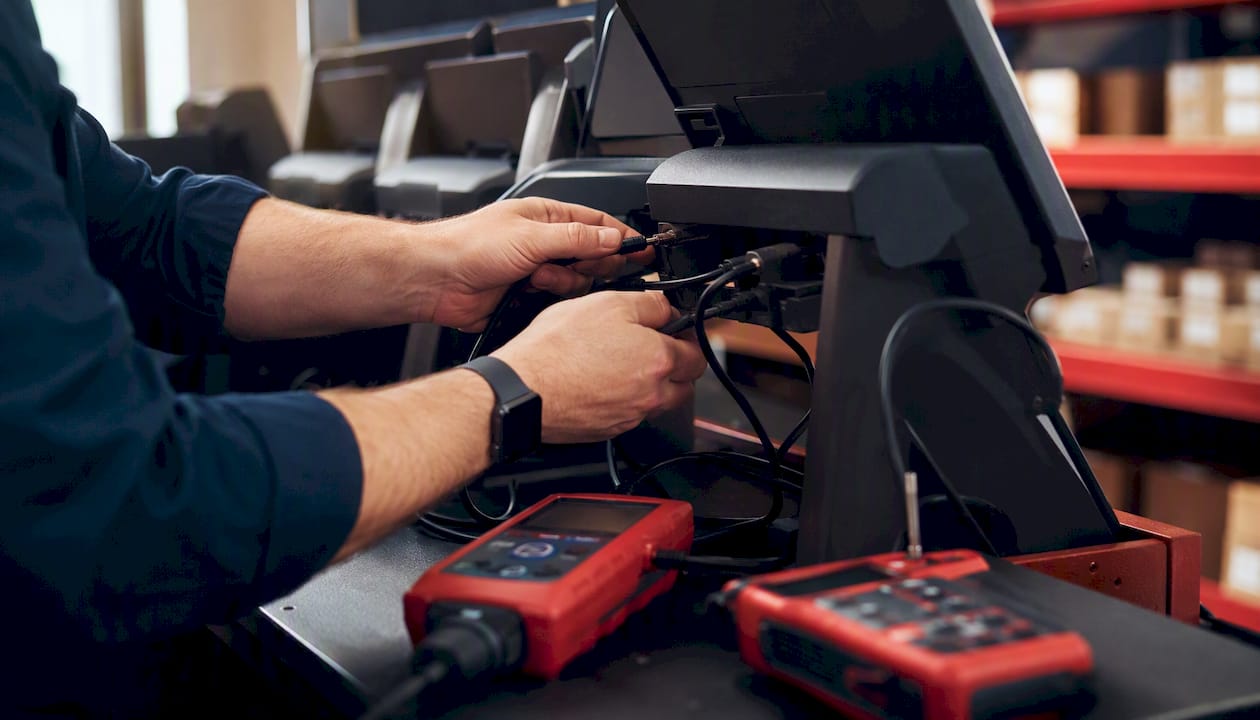
What does a full first-year POS budget look like by business type?
These scenarios use realistic line-item estimates to show what a complete first-year POS setup cost looks like for common SMB types.
Note: processing fee estimates are illustrative at $75,000 annual card volume. Your actual figure depends on volume, average ticket, and rate structure.
Scenarios that almost always require a bespoke quote: multi-location rollouts (three or more sites), self-checkout kiosk deployments, integrated scales for grocery or deli, and full ERP integrations. These projects involve custom scoping that no published price list covers accurately.
What is a realistic timeline from purchase to go-live?
A standard single-location SMB install runs two to four weeks from purchase to go-live. Here’s how that time breaks down:
Procurement and vendor contracting (Days 1–5): hardware order placed, software account created, payment processor application submitted. Processor approval is often the longest step; budget five to ten business days.
Pre-configuration (Days 5–10): vendor or installer configures software remotely, uploads product catalog, and sets up user accounts.
Network readiness (Days 5–12, parallel): IT provider or internal team confirms or upgrades network infrastructure.
On-site hardware installation (Days 12–15): technician installs and tests all hardware, certifies payment terminals, configures printers and KDS.
Staff training (Days 15–17): on-site or remote training session with key staff.
Testing and parallel run (Days 17–20): run the new system alongside the old one for two to three days; validate transactions, reports, and printer routing.
Go-live (Day 20–28): cut over fully, monitor for 48 hours, confirm all integrations are live.
Pre-install checklist (complete before the technician arrives):
[ ] Network credentials (Wi-Fi SSID, password, VLAN configuration) documented and shared with installer
[ ] Floor plan with terminal placement marked
[ ] Product catalog and SKU list exported from current system or prepared in the vendor’s import template
[ ] Payment processor paperwork submitted and approval confirmed
[ ] Staff schedule confirmed for training session
[ ] Backup plan for transactions during cutover (cash float, mobile backup terminal)
Schedule installs on Tuesday or Wednesday mornings, not Friday afternoons. A problem discovered on a Friday evening at 5 PM sits unresolved all weekend.
How can you reduce upfront and recurring POS costs?
Cost reduction in a POS project happens at three stages: procurement, negotiation, and contract review. Most owners only negotiate at procurement.
Bundle hardware with your software subscription. Most vendors offer hardware at a discount when you commit to an annual software plan. The discount often exceeds the cost of buying hardware outright from a third party.
Lease vs. buy: leasing spreads upfront hardware cost into monthly payments ($30–$80/month for a standard terminal bundle), but total cost over three years is typically 20%–40% higher than buying outright. Leasing makes sense when cash flow is tight; buying wins on total cost.
Request an itemized quote, not a package price. Package pricing obscures which line items are inflated. An itemized quote lets you negotiate individual components.
Ask for spare devices included in the contract. A vendor who won’t include one spare receipt printer in a five-terminal install is telling you something about how they handle support.
Negotiate onboarding hours. Most vendors have flexibility on included training hours. Ask for an extra half-day; the worst answer is no.
Buy basic hardware now, upgrade later. Start with a single countertop terminal and a receipt printer. Add a KDS or second terminal once you’ve confirmed the system works for your operation.
Pro Tip: Ask your vendor for affordable IT bundling options that combine hardware, network setup, and managed support into a single monthly fee. Bundled contracts are easier to budget and often include response-time SLAs that standalone hardware purchases don’t.
The trade-off to watch: lower upfront cost often means higher per-transaction fees or longer contract terms. At $250,000 in annual volume, that’s $1,250–$2,500/year in extra fees.
What questions should you ask every POS vendor?
Most vendor pitches are designed to answer the questions you don’t know to ask. These are the ones that matter.
Questions to ask before signing:
What exactly is included in the installation fee, and what triggers additional charges?
Who owns my transaction data and product catalog if I cancel?
What is your uptime SLA, and what is the escalation path when the system goes down during business hours?
Do you include a spare device in the contract, and what is your advance-replacement policy?
What is your break/fix response time for on-site issues?
Are there mandatory annual program fees, PCI compliance fees, or device program charges not shown in the base price?
Contract items to validate before signing:
Early termination fees (ETF): how much, and does it apply to hardware leases separately from software?
Mandatory hardware replacement programs: some processors require you to upgrade terminals on their schedule, not yours.
PCI compliance program fees: often $75–$150/year, sometimes buried in the merchant agreement.
Auto-renew clauses: what is the notice period to cancel, and does the rate lock expire at renewal?
Processing rate lock: is the advertised rate guaranteed for the contract term?
Red flags on quotes and pitches:
“Installation included” with no scope document. Included for what, exactly?
A single bundled price with no line-item breakdown.
Vague support SLAs (“we’ll get back to you as soon as possible”).
Per-device fees that appear only in the merchant agreement, not the sales quote.
A salesperson who can’t answer the data-ownership question.
Reviewing common retail IT failures before your vendor meetings gives you a concrete list of the mistakes that show up most often after a rushed install.
Why a managed IT install often lowers your total cost of ownership
The upfront cost of a professional managed install is the number owners most often try to cut. It’s also the cut that generates the most expensive callbacks.
The tasks where DIY installs most commonly fail are not the obvious ones. Mounting a terminal is straightforward. What fails is printer routing to multiple kitchen stations, VLAN segmentation between card-data traffic and guest Wi-Fi, and data migration validation. A misconfigured kitchen printer discovered during a Friday dinner rush costs more in lost revenue and emergency labor than the installation fee would have. A POS network running on the same VLAN as guest Wi-Fi is a PCI compliance problem that surfaces during your next audit, not during setup.
Managed IT providers who specialize in retail store openings handle these tasks as standard scope, not extras. They also bring remote IT monitoring that catches network degradation before it becomes a system outage.
A managed install that includes network configuration, VLAN segmentation, and remote monitoring typically prevents two to three reactive service calls in the first year. At $200–$400 per emergency call-out, the math on a $1,500 managed install is straightforward.
Pro Tip: When requesting quotes, ask every provider to include a three-year TCO line item that covers managed remote monitoring, annual hardware maintenance, and software support. A provider who can’t produce that number is not thinking about your long-term cost structure.
An editorial perspective on what the numbers miss
The cost guides you’ll find online are good at listing line items. What they understate is the cost of a bad go-live. A restaurant that opens with a misconfigured KDS runs its first dinner service on paper tickets. A retail store that goes live with an incomplete product catalog spends the first week manually entering prices at the register. Neither of those scenarios shows up in a first-year cost table, but both cost real money and real staff goodwill.
Sosasolutionsnyc has worked through store openings in Manhattan and across Florida, handling the IT setup for retail clients who needed the system to work on day one, not day five. The pattern that separates clean go-lives from chaotic ones is almost always the same: network readiness was confirmed before hardware arrived, and someone with real POS configuration experience was on-site for the first transaction.
Sosasolutionsnyc handles POS installation so you don’t have to troubleshoot it yourself
Retail store openings in New York and Florida come with enough variables. The POS system shouldn’t be one of them. Sosasolutionsnyc’s store opening IT solutions cover the full installation scope: network readiness assessment, VLAN configuration, on-site hardware setup, payment terminal certification, and staff training, all under a single managed engagement.

Every proposal includes a three-year TCO review so you can see recurring fees, support costs, and infrastructure maintenance in one number before you commit. No vague “installation included” language, no surprise callbacks billed at emergency rates. For SMBs in New York and Florida planning a store opening or a POS upgrade, contact Sosasolutionsnyc to request a scoped quote and your three-year TCO breakdown.
Sources
The following sources were used to build the cost ranges, scenario examples, and installation guidance in this guide:
Understanding the Cost of a Point of Sale System: Fees and Insights | POSZEO
Recommended
Comments