Hybrid Office IT Management: A Practical 2026 Guide
- Sosa Solutions NYC
- Aug 8
- 19 min read

Managing hybrid-office IT successfully requires a policy-agnostic, identity-first stack: central SSO with conditional access, unified endpoint management, and standardized collaboration tooling, sequenced through a short pilot with clear KPIs. That is the operational verdict. Everything else in this guide explains how to execute it.
Three immediate next steps:
Fund a pilot covering identity (SSO + MFA), endpoint enrollment via MDM, and one fully equipped meeting room over a matter of weeks
Set baseline KPIs before the pilot starts: endpoint compliance percentage, meeting success rate, and helpdesk first-contact resolution for hybrid tickets
Assign ownership across four layers before procurement begins: identity, endpoints, collaboration, and network
Four core layers to prioritize now:
Identity & access: SSO, conditional access, MFA enforcement
Endpoints: MDM/UEM enrollment, device posture, patch cadence
Collaboration: standardized suite (meetings, messaging, file sharing)
Network: Wi-Fi capacity, QoS for meeting traffic, guest segmentation
Pro Tip: Start with identity, not hardware. Every other layer depends on knowing who is on the network and whether their device is healthy. Deploying meeting-room AV before you have SSO and MDM in place means you are securing a room you cannot actually control.
The hybrid work infrastructure reference stack, designed to outlast policy changes, rests on exactly these four layers, sequenced in this order, with adoption and incident-reduction KPIs tracked at each stage.
Key Takeaways
A policy-agnostic, identity-first stack with unified endpoint management and standardized collaboration tooling, sequenced through a 6–10 week pilot with clear KPIs, is the most reliable path to manageable hybrid-office IT.
Point | Details |
Identity comes first | Deploy SSO, conditional access, and MFA before any other layer to control access across all locations. |
Pilot before scaling | Run a 6–10 week pilot covering identity, MDM enrollment, and one meeting room before expanding to all sites. |
Sequence by dependency | Install network infrastructure before room AV, and room AV before booking systems, to avoid rework. |
Measure from day one | Track endpoint compliance %, meeting success rate, and helpdesk first-contact resolution from the pilot start. |
Sosasolutionsnyc manages the full sequence | From discovery audit through managed IT retainer, Sosasolutionsnyc covers hybrid IT rollouts for retail and business environments in New York and Florida. |
Table of Contents
What does a hybrid office IT management guide actually cover?
What network and AV specs make hybrid meetings actually work?
How do you write hybrid office policies that employees actually follow?
How Sosasolutionsnyc sequences hybrid IT projects: a retail implementation checklist
Sosasolutionsnyc delivers faster, more predictable hybrid IT outcomes
What does a hybrid office IT management guide actually cover?
Hybrid office IT is not a subset of remote IT or office IT. It is its own operational discipline, and retrofitting either pure-remote or pure-office infrastructure often fails within a year or two as policies shift. The five operational areas that consistently matter are identity, devices, network, collaboration, and security. Each one maps to a distinct team and a distinct failure mode.
The four policy-agnostic layers and who owns them
Identity & access is the control plane for everything else. The IT security team owns it, but HR and procurement must feed it: joiner/mover/leaver workflows depend on HRIS data flowing into your identity provider. Failure mode: orphaned accounts and over-privileged access that persist long after an employee changes roles.
Endpoint management belongs to the endpoint team or the managed IT partner. Facilities and procurement are stakeholders because device procurement standards (approved models, OS versions, encryption requirements) must be set before purchasing. Failure mode: unmanaged personal devices connecting to corporate resources with no posture check.
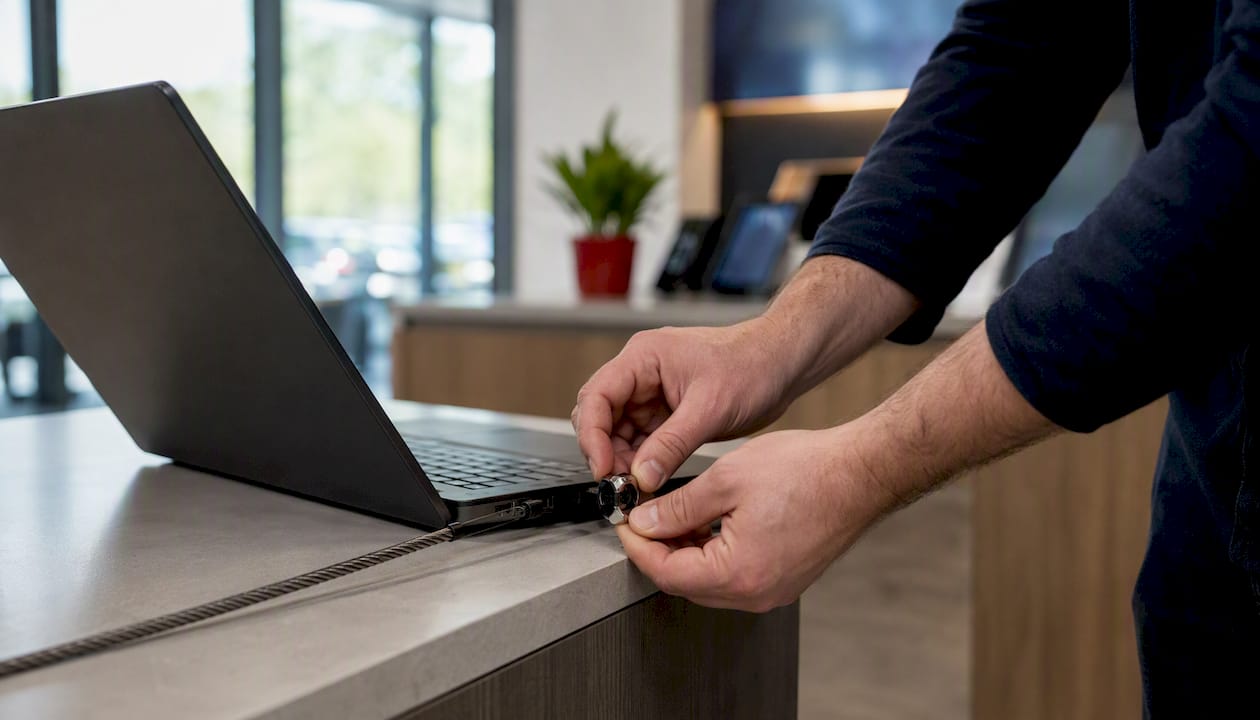
Collaboration platforms are owned jointly by IT and business operations. The helpdesk handles break-fix; IT architects own licensing and integration. Failure mode: shadow IT proliferation when the standard tooling does not cover a workflow, leading to unmanaged data in consumer apps.
Network fabric is the network team’s domain, with facilities involved for physical cabling and PoE planning. Failure mode: meeting rooms that look great on paper but deliver choppy video because QoS was never configured for real-time traffic.
Beyond these four layers, you must also account for meeting-room AV and control software, desk and room booking systems, visitor management, occupancy analytics, and software licensing. These are not optional add-ons. Cross-functional planning between IT, real estate, and HR is what separates organizations that get hybrid right from those that keep reopening the same tickets.
Component mapping: what each layer delivers
Layer | Primary function | Common failure mode | KPIs to track |
Identity & access | Authenticate users, enforce conditional access | Orphaned accounts, privilege creep | MFA coverage %, access review completion rate |
Endpoint management | Enforce device posture, patch, encrypt | Unmanaged BYOD, stale patches | Endpoint compliance %, patch age distribution |
Collaboration platforms | Meetings, messaging, file sharing | Shadow IT, fragmented data | Uptime %, adoption rate, ticket volume |
Network fabric | Connectivity, segmentation, QoS | Congestion, guest/corp bleed | Meeting packet loss, MTTR for AV incidents |
Related areas to include in scope from day one: meeting-room AV software (control systems, firmware), desk and room booking (Envoy, Officely, Archie), visitor management (Envoy), occupancy analytics (built into booking platforms or standalone), and licensing management for collaboration suites.
Which tool types should you prioritize for a hybrid office?
The answer depends on your failure modes, not your budget. Start by mapping the problems you are actually experiencing, then match tool categories to them. Hybrid-enablement tools on G2 vary significantly by integrations, analytics depth, and deployment model, and the selection criteria that matter most are calendar integration, SSO compatibility, and analytics capabilities.
Tool categories and the problems they solve
Desk booking solves the coordination problem: employees do not know which desks are available or whether their team will be in on the same day. The booking system must connect to your calendar (Google Calendar or Microsoft Outlook) so reservations appear alongside meeting invites.
Room booking solves a different problem: meeting rooms get ghost-booked, then sit empty while hybrid participants wait. The best room booking tools release rooms automatically when no one checks in within a set window, and they feed utilization data back to facilities.
Visitor management handles the compliance and security side of who enters the building. Envoy is the most widely deployed platform in this category in the U.S. It handles pre-registration, badge printing, NDA signing, and emergency evacuation lists, and it integrates with Slack and Microsoft Teams for host notifications.
Occupancy and usage analytics answer the real estate question: are you paying for space you are not using? These tools pull data from room sensors, badge readers, and booking systems to show actual versus booked utilization. The Cisco hybrid-work guide specifically calls out intelligent sensors and usage data as a lever for real-estate cost savings.
Collaboration suites are the daily operating environment. Microsoft Teams and Google Workspace dominate enterprise deployments. Teams integrates natively with Microsoft 365, Azure Active Directory, and Intune, making it the natural choice for organizations already in the Microsoft stack. Google Workspace integrates with Google Meet, Google Calendar, and Chrome Enterprise, and its admin console gives IT direct visibility into device and app usage. Slack sits alongside both as a messaging layer, with deep integrations into both ecosystems. Zoom remains the most widely used standalone meeting platform, particularly in organizations with mixed collaboration stacks, and its Zoom Rooms product handles meeting-room hardware management.
MDM/UEM (Mobile Device Management / Unified Endpoint Management) is non-negotiable for hybrid. Microsoft Intune, Jamf, and VMware Workspace ONE are the dominant platforms. The choice usually follows your OS mix: Intune for Windows-heavy shops, Jamf for Mac-heavy environments, or a combined approach.
Identity providers and SSO are the foundation. Okta, Microsoft Entra ID (formerly Azure AD), and Google Workspace Identity are the three most common in U.S. mid-market and enterprise environments. Conditional access policies live here: device compliance, location, risk score.
ZTNA/VPN replacements are worth evaluating if your current VPN creates bottlenecks for remote workers. Zero Trust Network Access tools like Zscaler Private Access or Cloudflare Access route traffic based on identity and device posture rather than network location.
Selection criteria checklist
Before shortlisting any tool, confirm it meets these criteria:
Calendar integration (Google Calendar or Microsoft Outlook, not just one)
SSO compatibility with your identity provider (SAML 2.0 or OIDC)
HRIS integration for automated provisioning/deprovisioning
Audit logs and data export for compliance
Device support across your OS mix (Windows, macOS, iOS, Android)
Offline or edge behavior (what happens when the network drops?)
Analytics API or dashboard for feeding your reporting stack
Pricing model fit (per-seat SaaS vs. site license vs. hardware bundle)
Tool category comparison
Tool category | Problem solved | Key integrations | Security features | Best for | Pricing model | Deployment complexity |
Desk booking | Coordination, utilization visibility | Calendar, SSO, HRIS | Audit logs, access controls | SMB to multi-site | Per-seat SaaS | Low |
Room booking | Ghost bookings, space waste | Calendar, AV control, analytics | Check-in enforcement, logs | Corporate, multi-site | Per-room or per-seat | Medium |
Visitor management | Compliance, building security | SSO, Slack/Teams, badge hardware | NDA capture, evacuation lists | Retail, corporate | Per-location SaaS | Low–medium |
Occupancy analytics | Real-estate optimization | Booking systems, sensors, badge | Data anonymization, retention | Multi-site, enterprise | Per-sensor or platform | Medium–high |
Collaboration suite | Meetings, messaging, files | SSO, MDM, HRIS, calendar | E2E encryption, DLP, audit | All sizes | Per-seat SaaS | Medium |
MDM/UEM | Device posture, patch, encrypt | SSO, app stores, SIEM | Compliance policies, remote wipe | All sizes | Per-device SaaS | Medium–high |
Identity/SSO | Authentication, access control | All apps, HRIS, MDM | Conditional access, MFA, audit | All sizes | Per-user SaaS | Medium |
Named platform examples
These are category examples, not ranked recommendations:
Envoy (visitor management + desk/room booking): integrates with Slack, Microsoft Teams, Google Calendar, and Outlook; supports SSO via SAML. Strong in U.S. corporate and retail environments. Envoy’s guide covers desk booking, room booking, and visitor management as the core operating primitives for hybrid workplaces.
Officely (desk booking, built inside Slack): lives natively in Slack, which reduces adoption friction significantly. Best for Slack-first organizations with under 500 seats.
Archie (desk and room booking with analytics): offers floor-plan visualization and utilization reporting. Integrates with Google Workspace and Microsoft 365.
Microsoft Teams (collaboration suite + meeting rooms): native integration with Intune, Entra ID, SharePoint, and the full Microsoft 365 stack. Teams Rooms hardware extends the experience to physical meeting spaces.
Google Workspace (collaboration suite): tight integration with Google Meet, Chrome Enterprise, and Google’s identity layer. Admin console provides device and app visibility.
Slack (messaging and workflow automation): integrates with both Microsoft 365 and Google Workspace, plus hundreds of third-party tools. Works as a notification layer for booking and visitor management platforms.
Zoom (meetings + Zoom Rooms): hardware-agnostic meeting platform with strong calendar integrations. Zoom Rooms supports one-touch join from room scheduling displays.
Pro Tip: Before committing to a booking platform, run a pilot SSO flow end-to-end: user authenticates via your identity provider, books a desk, receives a calendar confirmation, and the booking appears in your analytics dashboard. If any step breaks, you have found your integration gap before you have signed a contract.
How do you enforce security in a hybrid office environment?
The short answer: implement identity-first zero trust plus consistent endpoint hygiene across every location, whether that is a corporate office, a retail store, or a home office. Managed IT for hybrid environments must move beyond ticket response toward visibility-driven practices that surface risk before it becomes disruption.
Security controls to enforce immediately
SSO + conditional access: every application, every user, every device. No exceptions for legacy apps if you can help it.
MFA everywhere: authenticator app or hardware key preferred over SMS. Track MFA coverage as a percentage of active users.
Device enrollment (MDM/UEM): corporate-owned devices must be enrolled before they touch corporate resources. BYOD gets a separate, restricted profile.
EDR/endpoint telemetry: deploy endpoint detection and response on all managed devices. Feed telemetry into your SIEM or MDM dashboard.
Patch cadence: critical patches within 72 hours, high-severity within 14 days, standard within 30 days. Document exceptions with a business justification and an expiry date.
Data encryption and DLP basics: full-disk encryption on all endpoints, DLP policies on email and file sharing to catch accidental data exposure.
Policy snippets IT can adapt
Device enrollment policy (one-liner): “All devices accessing [Company] systems must be enrolled in [MDM platform] and meet minimum compliance requirements (OS version, encryption, screen lock) before connecting to corporate applications or networks.”
Guest access rules: “Guest Wi-Fi is isolated from corporate network segments. Guests may not access internal file shares, printers, or collaboration tools without a sponsored account approved by IT.”
BYOD acceptable use: “Personal devices may access corporate email and approved SaaS applications via the managed app container only. Corporate data may not be stored in personal cloud storage accounts.”
Meeting recording retention: “Meeting recordings are retained for 30 days by default. Recordings containing sensitive business discussions must be moved to a designated secure folder within 48 hours or deleted.”
U.S. privacy and regulatory considerations
Occupancy sensors and desk booking systems collect location and behavioral data about employees. In the U.S., there is no single federal employee privacy law, but several states (California, New York, Illinois) have enacted or proposed workplace monitoring disclosure requirements. The practical guidance:
Issue a written employee privacy notice before deploying any sensor or booking system that tracks individual presence
Collect the minimum data needed: aggregate utilization counts are usually sufficient; individual tracking is rarely necessary for space planning
Document consent and retention periods in your IT policy
Give employees a path to understand what data is collected and how long it is kept
Pro Tip: Treat your occupancy data the same way you treat HR data: limit access to those with a business need, set a retention schedule, and review it annually. Sensor data that sits indefinitely in a vendor’s cloud is a liability, not an asset.
Security KPIs to track
MFA coverage: aim for full enrollment of active users in MFA wherever feasible.
Endpoint compliance: strive to maximize the percentage of enrolled devices meeting all compliance policies.
Patch age distribution: monitor the timeliness of critical patch application according to SLAs.
Guest access incidents: number of unauthorized access attempts on guest segments per month
Identity audit completion: percentage of access reviews completed on schedule
What network and AV specs make hybrid meetings actually work?
The most common hybrid meeting failure is not a software problem. It is an underpowered room: a single webcam pointed at a whiteboard, a ceiling speaker that picks up HVAC noise, and a Wi-Fi access point shared with 40 other devices. The IT manager’s checklist for hybrid office setup recommends sequencing network before room technology, and room technology before booking systems, because each layer depends on the one below it.
Network readiness checklist
Wi-Fi capacity planning: minimum one access point per 25 users in open-plan areas; dedicated AP for each meeting room
Guest network segmentation: VLAN isolation, no routing to corporate subnets
QoS configuration: prioritize RTP/RTCP (real-time meeting traffic) over bulk data transfers
PoE planning: confirm switch ports and power budget for cameras, microphones, and room controllers
Wired backhaul for meeting rooms: every meeting room should have a wired Ethernet connection for the room controller and primary display, even if the room also has Wi-Fi
Uplink redundancy: dual ISP or LTE failover for sites where meeting continuity is business-critical
Meeting-room specs by room size
Room type | Min. bandwidth | Camera recommendation | Microphone recommendation | Redundancy notes |
Huddle (2–4 people) | 10 Mbps symmetric | Wide-angle USB or integrated bar | Integrated bar speaker/mic | UPS for room controller |
Standard conference (5–10 people) | 25 Mbps symmetric | PTZ or dual-camera bar | Ceiling array or tabletop array | Wired Ethernet + UPS |
Large training room (10–20 people) | 50 Mbps symmetric | Dual PTZ with auto-tracking | Distributed ceiling array | Dual NIC room controller, UPS |
Monitoring metrics IT must collect
Meeting success rate: track how often scheduled meetings begin without technical issues.
Packet loss during meetings: target below 1% for voice/video
Average meeting join time: from room display tap to active call (target under 30 seconds)
Room device health: firmware version, uptime, and last check-in for every room controller
MTTR for AV incidents: mean time to resolve meeting-room failures (target under 2 hours for standard rooms)
Integration points that reduce friction
Calendar integration: room displays pull from Google Calendar or Outlook so the current and next booking are always visible
Single-touch join: one button on the room display starts the meeting, no manual dial-in codes
Room scheduling connected to desk booking: when a meeting is booked, adjacent desk reservations can be suggested automatically
Analytics feed: room utilization data flows into your occupancy dashboard for real-estate reporting
How do you write hybrid office policies that employees actually follow?
Policy that employees ignore is not policy. It is documentation. The gap between a written hybrid policy and actual behavior usually comes down to two things: the policy was written without employee input, and the enforcement mechanism is invisible until something goes wrong. Aligning HR scheduling expectations with technical enforcement is what closes that gap.
Policy template snippets
Desk booking etiquette: “Desks must be booked in advance via [booking platform]. Unbooked desks may be claimed on arrival but must be registered within 15 minutes. Bookings not checked in by [time] are automatically released.”
Meeting inclusivity standard: “All hybrid meetings must be run as if every participant is remote. Presenters share screens rather than pointing at physical whiteboards. Meeting hosts mute the room speaker when remote participants are speaking to prevent echo.”
Sensor and privacy notice: “This office uses occupancy sensors and desk booking data to measure space utilization. Data is aggregated and anonymized for reporting. Individual presence data is not shared with managers or HR.”
Training checklist for managers and employees
Managers:
How to run a hybrid-inclusive meeting (camera placement, screen sharing, chat monitoring)
How to approve and track team in-office schedules via the booking platform
Escalation path for AV failures during client-facing meetings
How to submit IT exceptions (BYOD approvals, software requests)
Employees:
How to book a desk and a meeting room
Camera and audio etiquette for hybrid calls
How to connect personal devices under the BYOD policy
How to reach the helpdesk for remote and on-site issues
Support SLA examples for hybrid environments
Remote incident (P2 — user cannot join a meeting): first response within 30 minutes, resolution target 2 hours
On-site incident (P1 — meeting room fully down): first response within 15 minutes, on-site technician within 2 hours
Remote incident (P3 — booking platform access issue): first response within 4 hours, resolution target next business day
Escalation path: Tier 1 helpdesk → Tier 2 endpoint/network team → vendor support with IT as liaison
For remote IT support workflows that serve both remote users and on-site staff, the key is a single ticket queue with location tagging so triage routes correctly from the start.
Governance structure
Exception approvals: IT manager or designated deputy; exceptions expire after 90 days unless renewed
Policy review schedule: quarterly for security controls, annually for booking and meeting etiquette policies
Change communication: policy updates announced 2 weeks before enforcement, with a 30-day grace period for minor changes
On employee privacy: transparency is the cheapest compliance tool you have. Employees who understand what is collected and why are far less likely to circumvent monitoring systems or file complaints. Publish a one-page summary of what your booking and sensor systems collect, how long data is kept, and who can access it.
What does a realistic hybrid IT rollout look like?
Discovery before deployment. That is the rule that separates rollouts that finish on time from those that drag into a second year. A staged checklist across six layers with dependency sequencing (network before room tech, room tech before booking systems) is the most reliable structure.
Rollout steps in order
Discovery and audit (weeks 1–2): inventory all devices, applications, and network infrastructure; map identity provider gaps; document meeting-room AV hardware and firmware versions
Pilot (weeks 3–10): deploy SSO + MFA for pilot group (50–100 users), enroll pilot devices in MDM, equip one meeting room end-to-end, connect room to booking platform, measure baseline KPIs
Measure and iterate (weeks 11–14): review endpoint compliance rate, meeting success rate, and helpdesk ticket volume; fix integration gaps before scaling
Phased scale (Q2–Q4): roll out by floor or site, starting with highest-traffic areas; maintain 30-day and 90-day post-deployment checks per site
Rollout timeline
Phase | Duration | Key milestones |
Discovery & audit | 2 weeks | Device inventory complete, identity gaps documented |
Pilot | 6–10 weeks | SSO live, MDM enrolled for pilot group, 1 room equipped |
Measure & iterate | 4 weeks | KPI baseline set, integration gaps resolved |
Phased scale (per site/floor) | 4–8 weeks per site | Full enrollment, booking live, analytics feeding dashboard |
Full deployment | 2–4 quarters total | All sites compliant, 30/90-day checks complete |
Budget guidance
CapEx vs. OpEx decisions:
Buy (CapEx): identity/MDM licenses and core collaboration suite licenses. These are long-term infrastructure costs with predictable per-seat pricing.
Lease or OpEx: AV hardware for meeting rooms, especially during the first 12 months when utilization patterns are still settling. Leasing lets you swap hardware if your room configuration changes.
Defer: occupancy sensor hardware until you have 6 months of booking data to justify the investment.
Sample budget line items for approval:
Identity provider (SSO + MFA): per-user/month, all staff
MDM/UEM platform: per-device/month, all managed devices
Collaboration suite licenses: per-seat/month
Meeting-room AV hardware: per-room CapEx or lease
Booking platform: per-seat or per-location SaaS
Network upgrades (APs, PoE switches, cabling): CapEx, site-specific
Managed IT partner (if applicable): monthly retainer or project fee
For affordable IT solutions for small retail stores in New York and Florida, the most common cost-shaping move is bundling identity and MDM under a managed IT retainer rather than purchasing separate licenses, which reduces both cost and administrative overhead.
Pilot success criteria
Endpoint compliance rate: 95% or above for enrolled pilot devices
Meeting success rate: 90% or above for pilot meeting rooms
Booking adoption: 80% or above of desk/room reservations made in advance (not walk-in)
Helpdesk ticket volume: no increase from pre-pilot baseline for hybrid-specific issues
SSO integration: all pilot applications authenticating via the identity provider with no bypass
Before full rollout: test vendor integrations in a staging environment, confirm SSO flows for every application in scope, and run a tabletop exercise for the most likely failure scenarios (room controller offline, MDM enrollment failure, identity provider outage).
How do you measure whether hybrid IT is working?
Metrics without a reporting cadence are just data. Build a two-tier reporting structure: weekly operational metrics for the IT and facilities teams, monthly executive metrics that tie IT performance to business outcomes.
Core KPIs
Utilization: desk and room utilization rate (booked hours vs. available hours)
Booking compliance: percentage of desk/room usage that was pre-booked
Collaboration uptime: percentage availability for Teams, Workspace, Slack, Zoom
Meeting quality score: average MOS (Mean Opinion Score) or equivalent from your meeting platform
Endpoint compliance: percentage of enrolled devices meeting all compliance policies
Patch age: percentage of devices with critical patches applied within SLA
MTTR for AV incidents: mean time to resolve meeting-room failures
Helpdesk first-contact resolution: percentage of hybrid-related tickets resolved at Tier 1
Reporting template
Tying metrics to business outcomes
Desk utilization data informs real-estate decision-making, as low average utilization across portfolios may justify reducing footprint or renegotiating leases. Meeting success rate ties to employee experience scores and, indirectly, to retention. Endpoint compliance percentage is your primary evidence in a security audit or cyber insurance renewal.
Data sources to feed dashboards
MDM/UEM platform: device compliance, patch status, enrollment rate
Identity provider logs: sign-in risk events, MFA coverage, access review status
Room booking and desk booking analytics: utilization, booking compliance, check-in rate
Network monitoring (PRTG, Datadog, or equivalent): packet loss, uptime, bandwidth utilization
Collaboration platform admin consoles: Teams/Workspace/Zoom call quality reports
For helpdesk workflow reporting that feeds into these dashboards, the key is tagging every ticket with location (remote, on-site, specific room) and category (AV, booking, endpoint, identity) from the moment it is created.
How Sosasolutionsnyc sequences hybrid IT projects: a retail implementation checklist
The sequencing that works in a corporate headquarters works in a retail store, with two additional constraints: POS connectivity is business-critical (a down register is lost revenue), and PCI DSS scope means your network segmentation must be airtight before you touch payment systems.
Operational checklist Sosasolutionsnyc uses for store openings and hybrid office upgrades
Discovery phase:
Inventory all existing devices, network hardware, and software licenses
Document POS system requirements and PCI scope boundaries
Map identity provider gaps (who has SSO, who does not)
Confirm ISP circuit availability and backup connectivity options
Identity and endpoint sequencing:
Deploy SSO and MFA for all staff accounts before any other system goes live
Enroll all corporate devices in MDM before connecting to the store network
Stage inventory scanning devices and POS terminals separately from corporate endpoints
Meeting-room and collaboration kit:
Install and test AV hardware before booking software is configured
Confirm single-touch join works with the organization’s calendar system
Test room display integration with the booking platform
Booking and analytics integrations:
Connect desk and room booking to the calendar system
Verify utilization data flows to the analytics dashboard
Confirm visitor management integration with SSO for host notifications
Cutover checklist:
All devices enrolled in MDM and compliant
SSO live for all applications
POS on isolated VLAN, PCI scope documented
Meeting rooms tested and signed off
Booking platform live with at least 80% staff onboarded
Helpdesk briefed on escalation paths for store-specific issues
Sample timeline for a retail store opening or multi-site rollout
Week 1–2: site survey, ISP confirmation, network design, device procurement
Week 3–4: network infrastructure installed (switches, APs, cabling, PoE)
Week 5–6: identity and MDM deployed, devices enrolled, POS network segmented
Week 7–8: meeting-room AV installed and tested, booking platform configured
Week 9–10: staff training, booking adoption push, helpdesk handoff
Week 14 (30-day check): review KPIs, resolve integration gaps, confirm PCI documentation
Week 22 (90-day check): utilization review, patch compliance audit, policy refresh
Retainer vs. project pricing
Project-based engagement fits store openings and one-time infrastructure upgrades. Scope is defined, deliverables are clear, and the engagement ends at handoff. This is the right model when you have internal IT staff who will own ongoing operations.
Managed IT retainer fits ongoing monitoring, patch management, helpdesk support, and periodic audits. For retail operators in New York and Florida without a dedicated IT team, a retainer means incidents are caught before they become outages, not after.
Retail-specific constraints
POS connectivity must be on a dedicated VLAN, isolated from corporate and guest traffic. PCI DSS scope should be reviewed by a Qualified Security Assessor before the network design is finalized. Inventory scanning devices (handheld scanners, mobile POS) need MDM enrollment just like laptops. Network resilience at the store level often means LTE failover, because a single ISP outage that takes down the register is not acceptable.
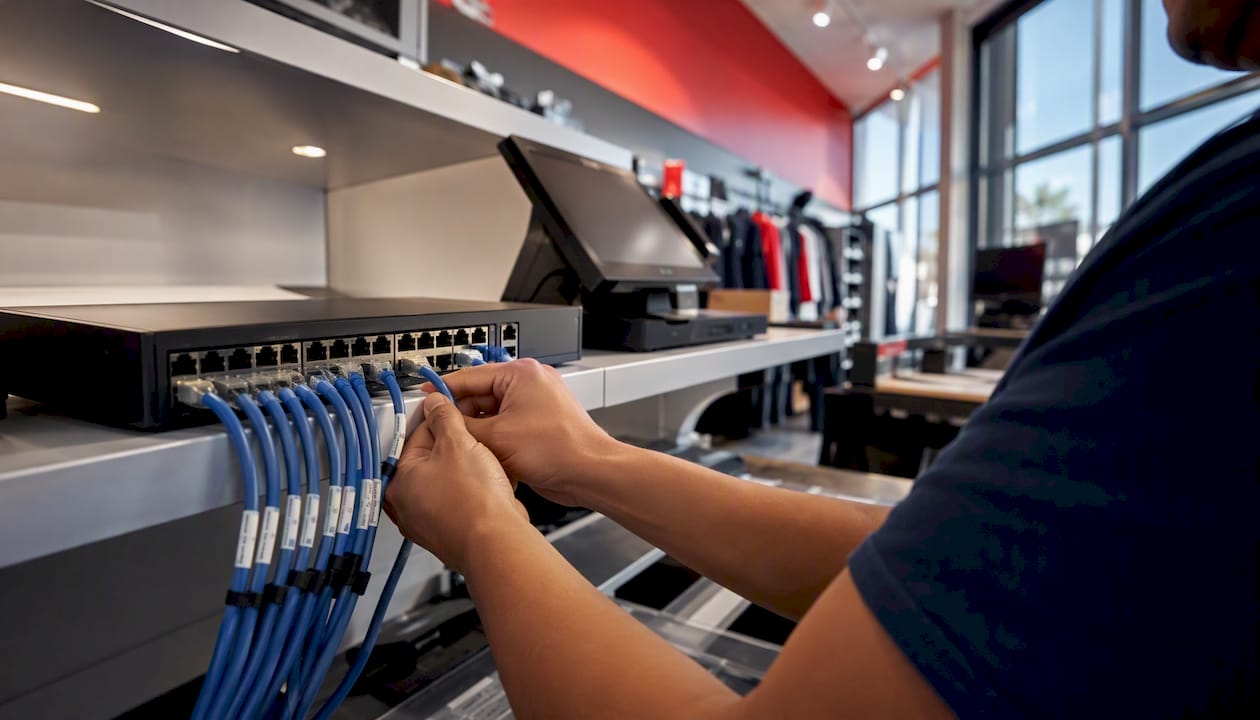
Pro Tip: For multi-site retail rollouts, build a standard “store-in-a-box” kit: a pre-configured switch, AP, and room controller image that can be deployed by a local technician following a checklist. Sosasolutionsnyc uses this approach for New York and Florida store openings to cut on-site deployment time significantly.
For retail store IT infrastructure guidance covering network, POS, and meeting-room specs, the store-in-a-box model is the most consistent path to repeatable deployments across multiple locations.
What most hybrid IT guides get wrong
The conventional wisdom says: pick your collaboration platform first, then build everything else around it. That is backwards, and it causes more failed rollouts than any other single decision.
Collaboration platforms are the most visible layer, so they attract the most attention during planning. But they are also the most likely to change. Organizations switch from Slack to Teams, or add Zoom on top of Teams, or consolidate from three tools to one, usually within 24 months of a major hybrid policy shift. If your identity and endpoint layers are built around a specific collaboration tool’s SSO implementation, every platform change becomes an infrastructure project.
The right sequence is identity first, then endpoints, then collaboration, then network enhancements. Identity and endpoint management are genuinely policy-agnostic: once SSO and MDM are in place, swapping a collaboration tool is a configuration change, not a re-architecture. The four-layer reference stack makes this explicit: stable infrastructure layers absorb policy changes without requiring re-deployment.
The second trap is underpowered meeting rooms. Organizations spend months on booking software and analytics dashboards, then discover that the rooms themselves deliver a poor experience because no one budgeted for a proper camera, a ceiling microphone array, or a dedicated wired connection. Remote participants disengage from meetings where they cannot hear clearly, and that disengagement shows up in collaboration metrics and eventually in retention data. Lease the AV hardware if you are uncertain about room configurations, but do not skip it.
The third trap is treating the pilot as a checkbox rather than a learning exercise. A pilot that runs for 6–10 weeks with 50–100 users and a single equipped meeting room will surface integration gaps, adoption friction, and support load that no amount of vendor demos will reveal.
Sosasolutionsnyc delivers faster, more predictable hybrid IT outcomes
When you have mapped your four layers, shortlisted your tools, and built your pilot plan, the next question is execution capacity. Most IT teams in small and mid-sized businesses in New York and Florida are running at full capacity before a hybrid rollout lands on the roadmap.

Sosasolutionsnyc handles the full sequence: discovery audit, identity and endpoint deployment, meeting-room AV installation, booking platform integration, and ongoing managed IT support. The engagement model fits both scenarios: a project-based fee for store openings and one-time infrastructure upgrades, or a monthly managed IT retainer for ongoing monitoring, patching, and support.
The next step is a discovery call to scope your environment, identify the gaps in your current stack, and define a pilot that fits your timeline and budget. Reach out to Sosasolutionsnyc’s IT services team to get started.
Sources
The sources below back the guidance in this guide and are worth reviewing directly during procurement and integration planning.
Identity, endpoint, and infrastructure references:
Collaboration, meeting rooms, and workplace planning:
Policy and HR alignment:
What to ask vendors during demos:
For call handling and front-desk operations in hybrid offices where visitor management intersects with receptionist workflows, this guide covers practical integration points worth reviewing alongside your visitor management platform selection.
Recommended
Comments