How to Manage IT Costs for Your Small Business

IT costs have a way of growing quietly until they’re impossible to ignore. If you’ve ever looked at your monthly tech bills and wondered where the money actually goes, you’re not alone. Learning to manage IT costs in your small business is less about slashing budgets and more about getting real value from every dollar you spend on technology. This guide walks you through practical strategies — from auditing hidden expenses to applying FinOps principles and making smarter vendor decisions — so you can control your tech spending without sacrificing the reliability your business depends on.
Table of Contents
Key takeaways
Point | Details |
Audit before cutting | Map every IT expense including subscriptions, hardware, and cloud fees before making any spending decisions. |
Apply FinOps principles | Assign ownership of IT costs by team or project to create accountability and continuous optimization. |
Rationalize SaaS licenses | Track usage and cancel or downgrade unused licenses to stop paying for tools nobody uses. |
Compare support models | Managed IT services offer predictable costs and proactive maintenance versus expensive break-fix surprises. |
Monitor consistently | Monthly spend dashboards and regular audits prevent budget leaks from compounding over time. |
How to manage IT costs in your small business
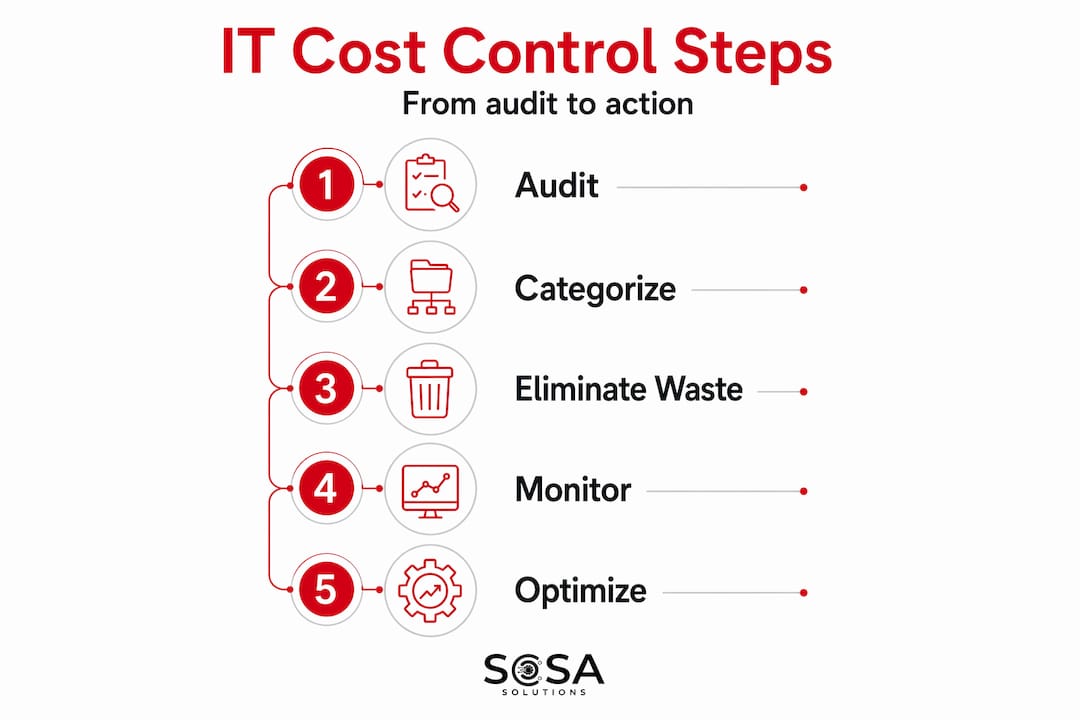
Before you can reduce IT expenses, you need to know exactly what you’re spending and why. Most small business owners are surprised by what a real audit uncovers. Hidden IT costs like downtime, shadow IT, manual troubleshooting by non-IT staff, and outdated hardware can silently drain 5 to 10% of your IT budget every year. That’s money leaving your business with almost nothing to show for it.
Start your audit by pulling together every IT-related expense into one place. That means cloud subscriptions, software licenses, hardware leases, telecom bills, and any third-party service contracts. Don’t forget the one-off purchases and expense reimbursements that rarely show up in a single budget line. Small business IT budgeting fails most often because spend is scattered across departments, credit cards, and approval chains.
Here’s what to include in your IT expense audit:
Software and SaaS subscriptions: List every tool, who uses it, and when it was last accessed
Hardware inventory: Document age, condition, and replacement timeline for every device
Cloud and hosting fees: Include compute, storage, data transfer, and any overage charges
Telecom and connectivity: Phone systems, mobile plans, internet services, and any line charges
Support contracts: Warranties, vendor support agreements, and any hourly IT service fees
Shadow IT: Ask department heads about tools they’ve purchased outside of IT approval
Once you’ve built this list, categorize each expense as fixed or variable. Fixed costs like a monthly software subscription are predictable. Variable costs like pay-per-use cloud services can spike without warning. Understanding this split is the foundation of real IT financial planning.
Pro Tip: Set a calendar reminder every quarter to check last-login dates on your SaaS tools. A license nobody has touched in 90 days is almost always a license you can cancel.
Applying FinOps to control ongoing spend
FinOps is a financial operations framework originally designed for cloud cost management, but it applies far beyond cloud. Implementing FinOps across cloud, SaaS, mobility, and telecom helps small businesses gain full control over multi-faceted IT expenses. When applied consistently, FinOps practitioners save up to 40% on cloud-specific costs and target 5 to 10% reductions across their total IT spend.
The core idea behind FinOps is shared ownership. Instead of IT bearing the full cost burden alone, each team or department takes responsibility for the technology it uses. This creates accountability that budget spreadsheets alone can never produce. When a marketing team knows it owns its CRM license costs, managers think twice before adding seats nobody needs.
Here’s how to put FinOps principles to work in your business:
Assign cost ownership: Map each IT expense to a team, project, or business function. Create a simple internal chargeback or showback report so managers see what their team is spending.
Rightsize before you scale: Audit cloud and software usage before expanding. Paying for 10 user seats when 6 people actually log in is waste, not investment.
Automate administrative workflows: Automation tools like AI-assisted billing reconciliation and automated procurement approvals reduce manual overhead and free up staff time.
Build a regular review cadence: Schedule monthly or quarterly IT cost reviews with department leads. Short, focused meetings beat annual budget surprises every time.
Create a real-time spend dashboard: Use a centralized tool to track IT spend across all categories in one view. When costs are visible, they get managed. When they’re hidden, they grow.
FinOps principles transform IT from a reactive expense center into a proactive one, giving you continuous visibility instead of monthly shock.
Pro Tip: You don’t need expensive software to start a FinOps practice. A well-structured spreadsheet with monthly inputs from each department is a legitimate starting point for small business IT budgeting.

Technology and vendor decisions that reduce IT expenses
How you buy and manage technology has an enormous impact on your total spend. Two businesses with identical needs can have dramatically different IT bills based purely on purchasing decisions and vendor management habits.
Cloud versus on-premise hardware
Cloud services reduce upfront capital expenses and offer pay-per-use pricing that scales with your business. For most small businesses, moving workloads to the cloud eliminates server maintenance, hardware refresh costs, and the risk of expensive on-site failures. The key is rightsizing your cloud resources from the start because over-provisioned cloud environments can cost more than the servers they replaced.
Managed services versus break-fix support
Factor | Managed IT Services | Break-Fix Support |
Monthly cost | Predictable, $100 to $250 per user | Variable, charged per incident |
Maintenance approach | Proactive, ongoing monitoring | Reactive, after problems occur |
Downtime exposure | Lower, issues caught early | Higher, response time adds up |
Budget predictability | High | Low |
Long-term value | Strong ROI through prevention | Can be cheaper short-term only |
Managed IT services typically run $100 to $250 per user monthly but eliminate the unpredictable costs of emergency repairs and unplanned downtime. If you’ve ever paid an hourly IT contractor during a crisis, you know how fast those bills climb. For a deeper look at why proactive support wins financially, managed services vs break-fix comparisons consistently favor the predictable model.
SaaS license management and vendor contracts
Auditing SaaS licenses based on usage, last login, and feature adoption is one of the fastest ways to find immediate savings. Most businesses are paying for 20 to 30% more licenses than they actually use. Beyond canceling unused tools, don’t hesitate to negotiate with vendors. Annual pre-payment discounts, multi-year agreements, and bundle pricing are all on the table if you ask. Vendors expect the conversation.
Hardware refresh cycles longer than three to four years increase helpdesk hours, security vulnerabilities, and productivity losses. The repair costs and downtime from aging equipment often exceed what a replacement would have cost. When you’re thinking about how to lower IT costs, don’t mistake deferred hardware spending for actual savings.
Building a culture of ongoing cost control
Technology costs don’t manage themselves. The businesses that consistently optimize tech costs are the ones that build habits and systems around cost awareness, not just one-time audits.
Start with your team. Training employees on cost-conscious technology use does not require a formal program. It can be as straightforward as sharing monthly spend summaries, explaining why unused licenses get canceled, or setting a clear policy on which devices and services the company will fund. When people understand the why behind spending decisions, they make better choices on their own.
Automation is your biggest lever for sustainable cost reduction. AI chatbots and business process automation reduce manual workload and cut operational overhead without adding headcount. In a retail environment, automated inventory alerts, ticketing systems, and remote monitoring tools handle tasks that previously required someone’s full attention. You can explore how IT in retail operations has shifted toward automation-driven efficiency for practical context.
Regular monthly audits and spend dashboards help you identify unexpected costs quickly before they compound. Set a firm policy that any new software purchase over a set dollar threshold requires IT or operations approval. This single control eliminates a large portion of shadow IT before it starts.
Pro Tip: Assign one person, even part-time, as your IT spend owner. They don’t need to be technical. They just need to review the numbers monthly and flag anything that looks off.
Common pitfalls when managing IT costs
Even well-intentioned cost optimization efforts go wrong. Knowing the mistakes in advance saves you from learning them the hard way.
Cutting strategic IT resources: Eliminating core IT personnel or critical processes without tying decisions to business strategy causes delays and reduces your ability to respond to problems. If a cut saves $500 a month but adds $2,000 in reactive repair costs, it wasn’t a savings.
Chasing short-term savings over long-term value: Skipping a needed security investment to save money this quarter can expose your business to data breach costs averaging $3.3 million for small businesses. Cost control is not the same as cost avoidance.
Getting locked into vendor contracts: Read renewal clauses before signing. Auto-renewing annual contracts on tools you stopped using are a common source of wasted spend. Build exit windows into every vendor agreement.
Ignoring usage spikes: Cloud and telecom bills can spike unexpectedly due to a product launch, a security incident, or simple misconfiguration. Real-time dashboards catch these before month-end.
Going it alone too long: There’s a point where the cost of managing IT internally exceeds the cost of professional help. If your team spends significant hours each week on IT issues, it may be time to talk to a managed IT service provider.
My honest take on managing IT costs
I’ve spent years working directly with small businesses on their IT spending, and the pattern I see over and over is the same. Owners focus intensely on cutting costs during a budget crunch, make some one-time improvements, and then let spend creep back up over the next 12 months. The problem isn’t the cuts. It’s the lack of ongoing discipline.
What actually works is treating IT cost management the way you treat any operational process. You build systems, assign ownership, and review regularly. The businesses I’ve seen get lasting results are the ones that set up monthly visibility and hold someone accountable for the numbers.
I’m also a firm believer that the shift from owning hardware to service-based models is not just financially smarter. It’s operationally liberating. When you stop maintaining servers and start managing outcomes, your team focuses on the business instead of the infrastructure.
The other thing I’d push back on is the idea that cost optimization means spending less. Sometimes it means spending differently. Moving from a break-fix model to a unified IT service provider might increase your monthly IT line item while dramatically reducing your total annual IT cost. The math almost always works out. Most small business owners I work with wish they’d made the switch sooner.
— Christopher
Let Sosasolutionsnyc take the guesswork out of IT spending
Managing IT costs on your own gets harder as your business grows. The tools multiply, the vendors pile up, and the time you spend managing technology is time you’re not spending on your actual business.

Sosasolutionsnyc helps small businesses in New York and Florida get predictable, proactive IT support without the overhead of a full in-house team. From SaaS license reviews to infrastructure planning and ongoing monitoring, the team builds cost-effective IT management plans tailored to how you actually operate. If you’re ready to stop reacting and start controlling your IT costs, explore managed IT support options designed specifically for businesses like yours. For retail businesses planning a new location, store launch IT solutions help you get up and running without costly surprises.
FAQ
What is the best way to start managing IT costs?
Start with a full IT expense audit covering all software subscriptions, hardware, cloud fees, and support contracts. Identifying hidden or unused expenses gives you an immediate, clear picture of where savings are possible.
How much should a small business spend on IT?
Most small businesses spend between 4 and 6% of revenue on IT, though this varies by industry. The goal isn’t a specific percentage but rather ensuring every dollar spent ties directly to a business outcome.
Are managed IT services worth the cost?
Managed IT services typically run $100 to $250 per user monthly and replace unpredictable break-fix costs with proactive maintenance. For most small businesses, the savings from reduced downtime and emergency repairs outweigh the monthly fee.
What is SaaS license sprawl and why does it matter?
SaaS license sprawl happens when a business accumulates more software subscriptions than it actively uses. Auditing licenses based on last login and actual usage regularly uncovers significant savings through cancellations and downgrades.
How do FinOps principles apply to small businesses?
FinOps gives each department visibility into and ownership of its IT costs, making overspending visible and accountable. Even small businesses can apply basic FinOps practices using shared dashboards and monthly cost reviews without specialized software.
Recommended


Comments