What Is Remote Monitoring Management for IT Teams
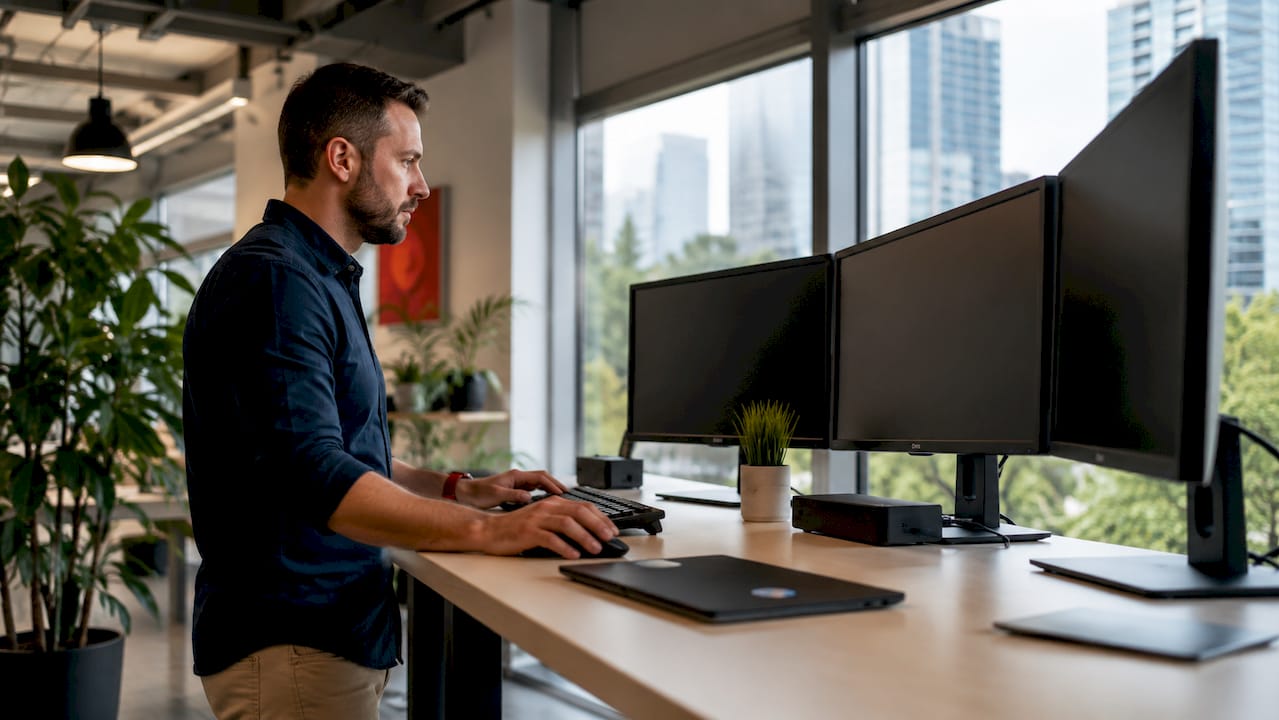
Remote monitoring and management (RMM) is defined as software that allows IT professionals to remotely observe, manage, and maintain IT infrastructure and devices without on-site presence. RMM gives you centralized visibility and control over geographically distributed endpoints, including servers, workstations, and network devices. For business owners and IT teams managing multiple locations, RMM transforms IT workflows from reactive firefighting into proactive, automated oversight. Sosasolutionsnyc deploys this exact model for retail and business clients across New York and Florida.
What is remote monitoring and management, and how does it work?
RMM works by installing a lightweight software agent on each managed device. That agent maintains a persistent, secure connection to a central management platform, even when devices operate outside the corporate network. No VPN is required. This architecture directly supports hybrid workforces and multisite retail environments where devices are spread across many locations.
Once the agent is active, it continuously collects performance data, security status, and availability metrics. That data streams to the RMM platform in real time, where automated rules evaluate it against defined thresholds. When a threshold is crossed, the platform generates an alert and, in many cases, triggers an automated remediation before a technician ever sees the issue.
The core automated tasks RMM platforms handle include:
Patch management — scheduling and deploying OS and application updates fleet-wide
Remote desktop access — connecting directly to a device for troubleshooting without a site visit
Software inventory — tracking installed applications across all endpoints from one console
Automated alerting — notifying IT staff of anomalies in CPU load, disk space, or security events
Script execution — running maintenance or remediation scripts remotely across hundreds of devices
Pro Tip: Set your RMM agent to check in at least every five minutes for critical servers. Longer polling intervals create blind spots that turn minor issues into outages.
Modern platforms split into two architectural camps: agent-based and cloud-native. Agent-based tools install persistent software on each endpoint. Cloud-native platforms manage devices through API integrations and browser-based consoles. Most enterprise-grade platforms today combine both approaches for maximum coverage.
What features do modern remote management tools include?
The feature set of a mature RMM platform goes well beyond simple alerting. Modern tools manage hundreds of applications with built-in software libraries, enabling fleet-wide deployment and real-time configuration changes from a single console. That scale matters when you are responsible for dozens of retail locations or a distributed office network.
Core capabilities you should expect from any production-grade platform include:
Automated policy enforcement — applying security configurations, firewall rules, and compliance baselines automatically across all enrolled devices
Real-time alerting with context — alerts that include device history and recent changes, not just raw error codes
Remote desktop and scripting — full control of any endpoint for live troubleshooting or bulk script execution
Software and hardware inventory — a live catalog of every asset, its specs, installed software, and license status
Integration with PSA systems — connecting RMM data directly into ticketing and billing workflows to eliminate manual data entry
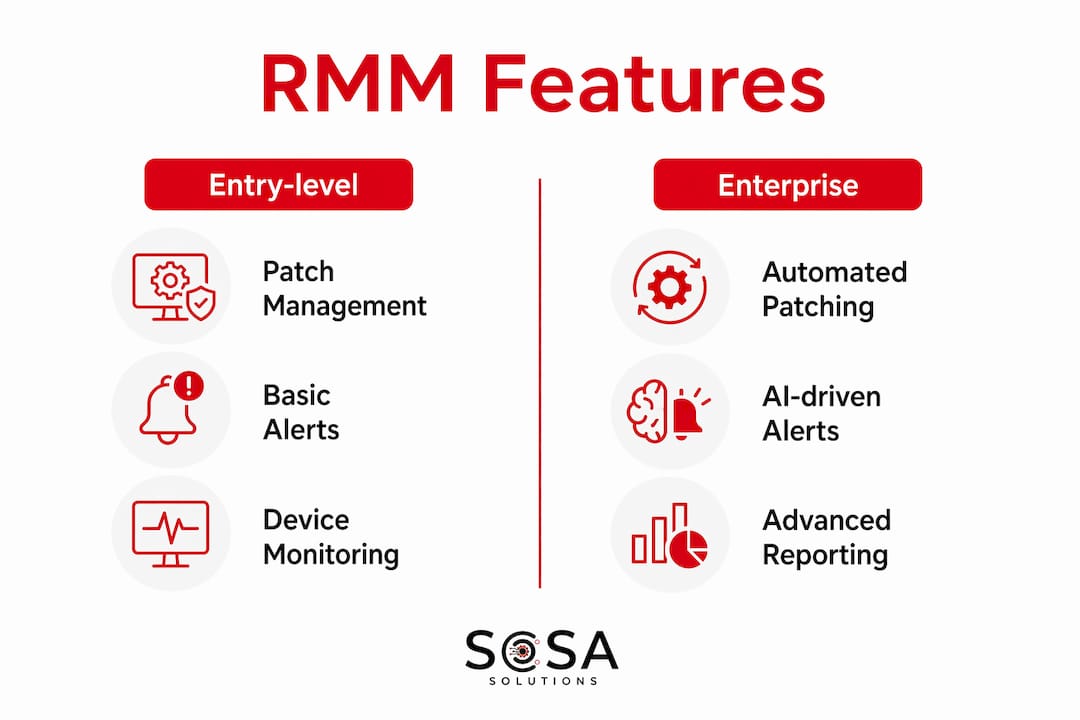
The table below compares how entry-level and enterprise-grade platforms typically differ across these categories:
Feature category | Entry-level platforms | Enterprise platforms |
Patch management | Manual scheduling, limited app coverage | Automated, policy-driven, full application library |
Alerting | Basic threshold alerts | Contextual alerts with automated remediation |
Remote access | Single-session remote desktop | Multi-session, audit-logged, role-based access |
Integrations | Limited PSA connectivity | Native PSA, SIEM, and ticketing integrations |
AI automation | Not available | AI-driven investigation and remediation |
Integration with Professional Services Automation (PSA) systems is the feature most IT managers undervalue at first. When your RMM platform automatically creates and closes tickets based on device events, you eliminate hours of manual logging per week. For retail IT helpdesk workflows, that automation is the difference between a team that keeps up and one that is always behind.
What are the benefits of remote monitoring for business operations?
The primary benefit of RMM is the shift from reactive to proactive IT management. Proactive device monitoring reduces service disruptions in the majority of documented implementations, and 24/7 automated support decreases outages compared to scheduled maintenance windows alone. For a retail business, an unplanned point-of-sale outage during peak hours is a direct revenue loss. RMM catches the warning signs before the failure occurs.
“The core value of RMM lies in proactive management, not just alert generation. IT teams that treat RMM as an automation platform, rather than a notification system, consistently reduce technician workload and resolve issues faster.”
The operational and financial benefits stack up quickly:
Reduced downtime — automated alerts and remediations address issues before they escalate to outages
Lower support costs — remote access eliminates most truck rolls and on-site visits for routine troubleshooting
Consistent security posture — automated patching closes vulnerabilities on a defined schedule, not whenever a technician remembers
Compliance support — policy enforcement keeps devices aligned with security frameworks like CIS Controls or NIST
Scalability — adding a new location means enrolling devices in the platform, not hiring additional on-site staff
The cost reduction from eliminating unnecessary site visits is significant for businesses with multiple locations. A retail chain with ten stores across New York and Florida that previously dispatched technicians for routine updates can redirect that budget toward growth. Sosasolutionsnyc structures its managed IT services around exactly this model, using RMM to cover client endpoints continuously without inflating support hours.
Centralized IT management also improves visibility for business owners who are not IT specialists. A single dashboard showing the health of every device across every location gives you the information to make informed decisions about hardware refresh cycles, staffing, and vendor contracts.
Best practices for successful RMM adoption
RMM without defined automation policies is just a monitoring dashboard. Without clearly defined patch schedules and workflows, the platform’s power is limited to passive observation. The organizations that extract real value from RMM treat it as a process redesign tool, not just a software purchase.
Pro Tip: Before deploying RMM agents, document your current manual IT processes. Every manual task you can map becomes a candidate for automation. Start with patch management and software deployment, then move to alerting and remediation.
The most common mistakes in RMM adoption fall into predictable patterns:
Treating RMM as an alert tool only — alerts without automated responses still require a technician to act, which defeats the efficiency goal
Skipping device standardization — inconsistent endpoints diminish platform value because policies cannot apply uniformly to non-standard configurations
Ignoring alert fatigue — too many low-priority alerts train technicians to ignore the console, causing real issues to go unnoticed
Failing to integrate with workflows — RMM data must feed into operational processes to automate workflows and replace manual maintenance schedules
Neglecting access controls — remote access capabilities require role-based permissions and audit logging to meet security and compliance requirements
AI-native RMM platforms address alert fatigue directly. AI-driven logic investigates issues, performs remediations, and escalates only complex problems to human technicians. This approach reduces the volume of alerts requiring human review while increasing the speed of resolution for common issues. For IT teams managing large device fleets, AI-assisted remediation is no longer optional. It is the standard for 2026 environments.
Device standardization deserves special attention. When every endpoint runs the same approved OS build, application set, and security configuration, automation policies apply cleanly. When endpoints vary, exceptions pile up, and the IT team spends more time managing the RMM tool than managing the business.
Key Takeaways
Remote monitoring and management delivers its full value only when automation policies, device standardization, and workflow integration are in place alongside the software itself.
Point | Details |
RMM definition | RMM software enables remote oversight, management, and maintenance of distributed IT endpoints from a central console. |
Agent-based architecture | Lightweight agents provide persistent device connections without VPN, supporting hybrid and multisite environments. |
Proactive over reactive | Automated alerting and remediation catch issues before they become outages, reducing downtime and support costs. |
Automation policies are required | RMM without defined patch schedules and workflows functions only as a passive monitoring dashboard. |
AI-driven remediation | AI-native platforms investigate and resolve common issues autonomously, cutting alert fatigue and response time. |
Why RMM strategy matters more than RMM software
I have worked with IT teams that bought enterprise-grade RMM platforms and saw almost no improvement in their operations. The tool was not the problem. The process was. They deployed agents, watched alerts pile up, and kept resolving issues manually because no one had defined what the platform should do automatically.
The shift that actually changes outcomes is treating RMM as an operations redesign project. You are not buying software. You are deciding which IT tasks should never require a human again. Patch management, disk cleanup, service restarts, and standard software deployments all belong in that category. Once those are automated, your team focuses on the problems that genuinely need judgment.
The AI-native direction in RMM is real and accelerating. Platforms that handle investigation and remediation autonomously before escalating to a technician are not a future concept. They are in production today. For IT managers evaluating platforms in 2026, the question is not whether the tool monitors devices. The question is how much it resolves without human input.
My advice for business owners: do not evaluate RMM on feature count. Evaluate it on how deeply it integrates with your existing workflows and how much manual work it eliminates in the first 90 days. That is the number that tells you whether the investment is working.
— Christopher
Sosasolutionsnyc managed IT services with built-in remote monitoring
Sosasolutionsnyc provides managed IT services across New York and Florida with RMM at the core of every client engagement. Every enrolled device gets continuous monitoring, automated patch management, and real-time alerting, without requiring your internal team to manage the platform.

For retail businesses, corporate offices, and multisite operations, Sosasolutionsnyc builds the automation policies, device standards, and workflow integrations that make RMM deliver real results. If your current IT support model is still reactive, the gap between where you are and where you need to be is a conversation. Contact Sosasolutionsnyc to get a tailored assessment of your IT environment and a clear plan for proactive remote system management.
FAQ
What is remote monitoring and management in simple terms?
RMM is software that lets IT professionals monitor, manage, and fix devices remotely from a central console. It uses lightweight agents installed on each device to maintain a continuous connection and enable automated maintenance.
How does remote monitoring software differ from basic antivirus tools?
Antivirus tools protect against malware on a single device. RMM platforms manage entire device fleets, handling patching, performance monitoring, remote access, and automated remediation across all enrolled endpoints simultaneously.
What are the main benefits of remote monitoring for small businesses?
The main benefits are reduced downtime, lower support costs from fewer on-site visits, and consistent security through automated patching. Small businesses with limited IT staff gain the coverage of a full IT department without the headcount.
Do RMM agents require devices to be on the corporate network?
No. Agent-based RMM architecture maintains secure connections over the internet, so devices are managed regardless of their network location. This makes RMM well-suited for remote workers and multisite retail environments.
How does AI improve remote monitoring and management?
AI-native RMM platforms investigate alerts, execute remediations, and document outcomes automatically before escalating to a technician. This cuts alert fatigue and speeds up resolution for common issues without requiring human intervention.
Recommended


Comments