Types of Retail IT Support: A Practical 2026 Guide
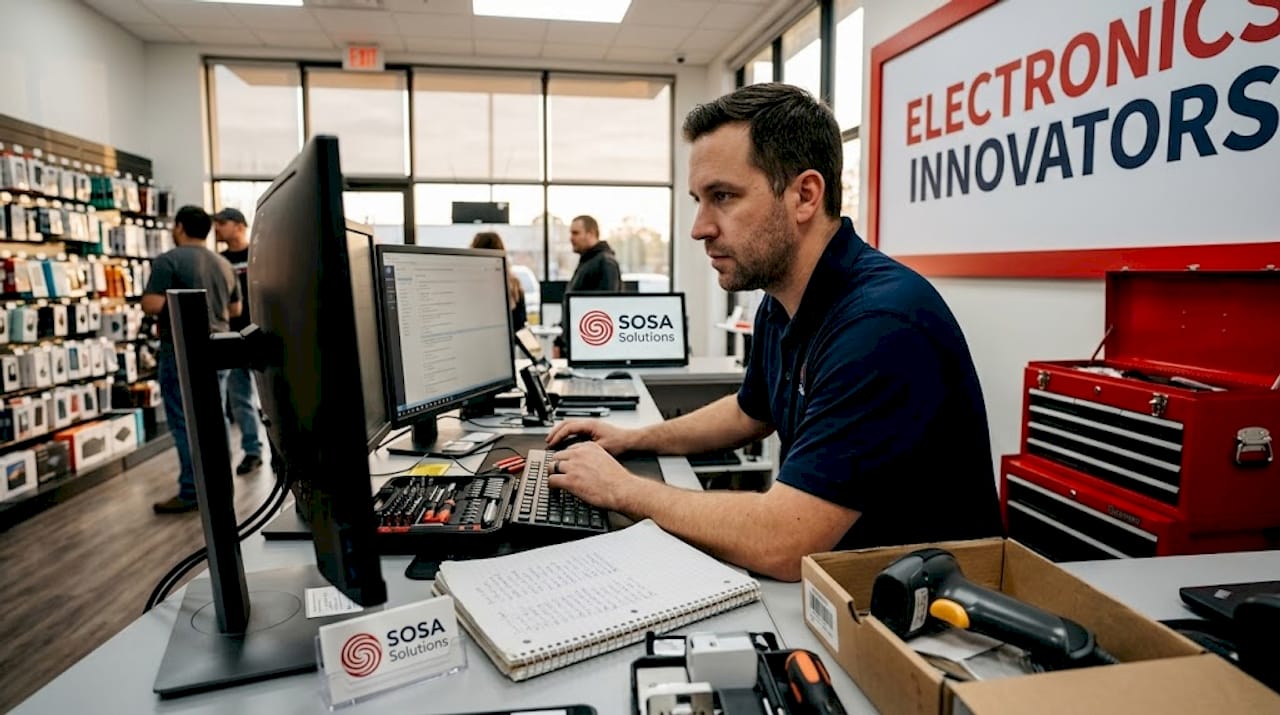
Retail technology breaks at the worst possible moments. A POS terminal freezes during a Saturday rush. Your inventory system goes dark the week before a major sale. The types of retail IT support you have in place determine whether those moments cost you ten minutes or ten thousand dollars. Most retail owners and IT managers know they need support, but the options are genuinely confusing. Help desk, service desk, remote support, managed services — each one serves a different purpose, and picking the wrong mix creates gaps that hurt your bottom line.
Table of Contents
Key takeaways
Point | Details |
Reactive vs. proactive support | Help desks fix problems after they happen; service desks prevent them from recurring. |
Remote support saves time and money | Most retail IT issues can be resolved remotely, cutting downtime without disrupting customers. |
POS support needs a full lifecycle model | Effective POS support covers installation, remote triage, maintenance, and hardware dispatch. |
Centralized platforms matter at scale | Multi-location retailers need unified ticket and asset management to avoid losing context. |
Match support type to store size | Small stores benefit from managed IT; chains need centralized service management plus field support. |
Types of retail IT support: how to choose the right one
Before you can pick the right support model, you need an honest picture of what your stores actually need. Not what sounds good in a proposal. What your operations actually demand on a Tuesday afternoon when something breaks.
Start by mapping your support scope. Are you dealing with incidents after they happen, or do you want someone monitoring your systems before problems surface? That single question separates reactive support from proactive support, and it shapes every other decision you make.
A few other factors that should drive your evaluation:
Store count and distribution. A single boutique in Manhattan has different needs than a 20-location chain spread across New York and Florida.
Technology in play. POS terminals, self-checkout kiosks, inventory scanners, and Wi-Fi networks each require different expertise.
Budget and internal resources. Do you have an in-house IT person, or is all support outsourced?
Service level agreements (SLAs). What response time can you actually afford to accept during peak hours?
Escalation protocols. When a tier-one technician cannot solve the problem, how fast does it reach someone who can?
Pro Tip: Ask any IT support provider for their average first-contact resolution rate in retail environments. A high rate means fewer escalations, less downtime, and a support team that actually understands retail technology.
Understanding these criteria turns the rest of this article into a decision tool rather than just a list.
1. Help desk support
The help desk is the most familiar form of IT support in retail. Someone calls or submits a ticket, a technician responds, and the problem gets fixed. Help desks are primarily reactive, meaning they respond to incidents after users report them rather than monitoring for issues proactively.
For small retailers with straightforward technology setups, a help desk can be enough. If your POS rarely breaks and your network is simple, reactive ticket resolution covers most scenarios. The limitation shows up when the same problems keep coming back. A help desk fixes the symptom. It does not investigate the root cause.
Common support channels include phone, email, and live chat. Most help desks operate on a tiered model where basic issues are handled at tier one and complex problems escalate to tier two or three specialists.
A help desk that closes tickets fast is not the same as a help desk that solves problems permanently. In retail, the difference shows up in your repeat incident rate.
2. Service desk support
The service desk is a more mature version of IT support. Where a service desk covers proactive practices and business alignment in addition to incident resolution, it functions as a strategic IT partner rather than just a break-fix resource.
For retailers, this distinction matters. A service desk does not just fix your inventory scanner. It tracks why the scanner keeps failing, identifies the pattern, and works to eliminate the root cause. That is the difference between incident management and problem management. Incident management is “fix it now.” Problem management is “stop it coming back.”
Service desks also handle service requests, meaning employees can request new equipment, software access, or configuration changes through the same system. For multi-department retail operations, that single point of contact reduces confusion and speeds up day-to-day operations.
When do you need a service desk over a help desk? If you are running more than three locations, managing complex technology across departments, or experiencing recurring IT issues, a service desk pays for itself quickly.
3. Remote IT support
Remote support is one of the most underutilized IT support services for retail. The ability to diagnose and resolve issues without sending a technician onsite changes the economics of retail IT entirely.

Remote support enables quicker resolutions and reduces the disruption to store operations that comes with an onsite visit. A technician can connect to your POS terminal, kiosk, or back-office system from anywhere and resolve most software-related issues in minutes.
Practical retail use cases include:
POS software errors that require configuration changes or software restarts
Self-checkout kiosk troubleshooting without pulling a technician away from another location
Inventory system connectivity issues that are often network-related and fixable remotely
Real-time staff training on new software without scheduling an in-person session
Monitoring and alerts that catch issues before customers ever notice them
Pro Tip: Confirm that your remote support provider uses encrypted, session-based access tools rather than persistent remote access software. In a retail environment handling payment data, security is non-negotiable.
For retailers with multiple locations across New York or Florida, remote support dramatically cuts what the industry calls “truck roll costs,” meaning the time and expense of dispatching a technician to a physical location. You can learn more about how this fits into a broader strategy in this guide to on-site IT support for retail.
4. On-site IT support
Some problems cannot be fixed remotely. Hardware failures, cabling issues, and physical device replacements require a technician on the floor. On-site support is the hands-on layer of retail tech support options, and it is most valuable when deployed strategically rather than as a first response.
The best retail IT support solutions combine remote triage with on-site dispatch. A technician attempts to resolve the issue remotely first. If that fails, a field technician is dispatched with the right parts and a clear understanding of the problem. This approach cuts resolution time because the technician arrives prepared, not to diagnose from scratch.
On-site support is especially critical during store openings, hardware upgrades, and major technology rollouts. Having a technician physically present during a new POS deployment or network infrastructure installation prevents the kind of configuration errors that cause problems for months afterward.
5. Point-of-sale (POS) support
POS support deserves its own category because the stakes are uniquely high. When your POS goes down, you stop making money. Every minute of downtime during a busy period is direct revenue loss.
Structured POS support covers the full lifecycle: installation, configuration, deployment, ongoing maintenance, and break-fix response. Mature POS support models use remote diagnostics first and only dispatch a technician when physical intervention is genuinely required.
Here is how in-house POS support compares to a managed field service model:
Factor | In-house support | Managed field service |
Response time | Depends on staff availability | Defined by SLA, often same-day |
Coverage area | Limited to staff location | Multi-location and regional |
Expertise depth | Generalist IT knowledge | POS-specialized technicians |
Cost structure | Fixed salary overhead | Scalable per-incident or retainer |
Scalability | Difficult to scale quickly | Scales with store count |
For multi-location retailers, managed field service partners consistently outperform in-house teams on response time and first-time fix rates. Remote diagnostics before onsite dispatch reduces disruptions and protects peak-hour sales, which is where the revenue protection argument becomes concrete.
Understanding how your POS integrates with broader retail systems also matters. A solid order management system can help you see how POS support fits into the larger technology picture.
6. Managed IT services for retailers
Managed IT services represent the most proactive model available. Instead of waiting for problems, a managed service provider (MSP) monitors your entire IT environment continuously, handles maintenance, applies updates, and resolves issues often before you know they exist.
For retailers, managed IT services cover network monitoring, endpoint management, security patching, backup and recovery, and vendor coordination. You get a full IT department without the overhead of hiring one.
This model works particularly well for small to mid-sized retailers who cannot justify a full-time IT staff but cannot afford the downtime that comes from having no proactive support. The monthly retainer model also makes budgeting predictable, which matters when you are managing tight retail margins.
7. Centralized service management platforms
When you operate more than one location, the way your IT support is organized becomes as important as the support itself. Centralized service management platforms unify ticket tracking and resolution across distributed retail stores, so no issue falls through the cracks because it was logged at the wrong location.
The operational benefit is consistency. Every store gets the same quality of support, every ticket carries its full history, and SLA compliance can be measured and enforced across the entire chain. The benefits of unified IT service management for retailers become especially clear when you look at how much time gets wasted re-explaining problems that were already partially solved.
Here is what centralized platforms deliver across key operational dimensions:
Operational area | Without centralized platform | With centralized platform |
Ticket context | Lost when escalated or transferred | Full history travels with the ticket |
Asset tracking | Spreadsheets or siloed systems | Real-time inventory across all locations |
SLA enforcement | Inconsistent by location | Uniform standards enforced automatically |
Reporting | Manual and fragmented | Consolidated analytics across all stores |
Multi-store environments require centralized management to avoid the context loss that slows down resolution and frustrates both staff and customers. This is not optional at scale. It is the infrastructure that makes everything else work.
8. Choosing the right mix for your retail operation
No single support type covers everything. The retailers who manage technology best use a layered approach, matching each support type to the specific need it serves.
Support type | Best for | Key limitation |
Help desk | Single-location, simple tech | Reactive only, repeat issues persist |
Service desk | Growing retailers, recurring issues | Higher cost than basic help desk |
Remote support | Multi-location, software issues | Cannot fix hardware failures |
On-site support | Hardware, installations, rollouts | Slower response, higher cost per visit |
POS support | All retailers with POS systems | Needs specialized provider |
Managed IT | Small to mid-size without IT staff | Requires trusted MSP relationship |
Centralized ITSM | Multi-location chains | Overkill for single-store operations |
A few practical recommendations based on store size:
Single-location retailers benefit most from a managed IT provider that includes help desk access and remote support.
Multi-location chains need centralized service management, a service desk, and a managed field service partner for POS and hardware.
Budget-conscious retailers should prioritize remote support and managed IT before investing in on-site contracts.
The most common mistake is treating these as either-or choices. Remote support and on-site support are not competitors. They are the same support model operating at different tiers. Integrate them under one provider or one platform and you eliminate the coordination gaps that cause the most downtime.
My honest take on where retail IT support goes wrong
I’ve worked with enough retail businesses to know that the selection problem is rarely about information. Most owners and IT managers can read a comparison table. The real issue is that they wait until something breaks badly before they evaluate their support model.
What I’ve seen repeatedly is retailers running on a basic help desk because that is what they set up three years ago, and nobody has questioned it since. Meanwhile, the same five problems cycle through their ticket system every month. The help desk closes each ticket. The problem never gets solved. That is not a support failure. It is a model failure.
My take on remote support is that it is the single most underinvested area in retail IT. Most software issues, including the majority of POS errors, are resolvable remotely in under 30 minutes. Yet many retailers still default to scheduling an onsite visit as the first response. That decision costs real money in technician time and store downtime.
The other thing I keep coming back to is alignment. Your IT support should understand retail, not just IT. A technician who does not know what a peak sales hour looks like will not prioritize the right tickets. A managed IT provider that treats your store like a corporate office will miss the nuances that matter. When you evaluate any IT support provider, ask them specifically how they handle retail environments during high-traffic periods. The answer tells you everything.
— Christopher
How Sosasolutionsnyc supports your retail IT needs

Sosasolutionsnyc works specifically with retail businesses in New York and Florida, which means the team understands what is actually at stake when your technology fails during a busy shift. Their retail IT support services cover the full range of support types discussed in this article: remote troubleshooting, on-site dispatch, POS support, and proactive monitoring through managed IT services tailored to retail environments.
Whether you are running a single storefront or managing multiple locations across the region, Sosasolutionsnyc builds support strategies around your specific technology stack and operational demands. If you are opening a new location, their store opening IT solutions handle everything from infrastructure setup to day-one readiness. Reach out to Sosasolutionsnyc to get a support plan that matches how your stores actually operate.
FAQ
What are the main types of retail IT support?
The main types include help desk support, service desk support, remote IT support, on-site support, POS-specific support, managed IT services, and centralized service management platforms. Each serves a different operational need and works best when combined strategically.
Why do retail stores need IT support?
Retail operations depend on technology for sales, inventory, payments, and customer experience. Without reliable IT support, system failures translate directly into lost revenue, frustrated customers, and operational delays.
What is the difference between a help desk and a service desk in retail?
A help desk handles reactive incident resolution, while a service desk adds proactive practices and problem management. Service desks reduce repeat issues and align IT more closely with daily retail operations.
When should a retailer use remote support vs. on-site support?
Remote support works for software errors, configuration issues, and network troubleshooting. On-site support is necessary for hardware failures, physical installations, and situations where a technician needs to be physically present to resolve the issue.
What should I look for in a managed IT provider for retail?
Look for retail-specific experience, defined SLAs with response times that match your peak hours, remote and on-site capabilities, and a proactive monitoring approach. Ask specifically how they handle POS system failures during high-traffic periods.
Recommended


Comments