The Real Role of Help Desk in Small Business Growth

Most small business owners assume help desks are something Fortune 500 companies set up in basement offices with rows of headsets. That assumption is costing them customers. The role of help desk in small business operations is not about scale. It’s about control. When your support volume starts climbing, a shared inbox becomes a liability. Tickets get lost, responses get duplicated, and customers stop hearing back. This article breaks down what a help desk actually does for a small business, when you need one, and how the right setup pays for itself faster than you’d expect.
Table of Contents
Key Takeaways
Point | Details |
Help desks replace shared inboxes | Ticket-based systems eliminate lost requests and duplicate responses that plague growing teams. |
Early adoption prevents chaos | Crossing 50 support tickets per week is a clear signal to implement a dedicated help desk system. |
Metrics drive better decisions | Tracking three core metrics (first response time, resolution time, CSAT) gives teams clarity without data overload. |
Outsourcing cuts costs significantly | Outsourced help desk support reduces costs by 25 to 40% compared to hiring a full-time in-house technician. |
Customer effort predicts loyalty | Reducing how hard customers work to get help retains them far more reliably than just solving problems quickly. |
The role of help desk in small business support
A help desk is a ticket management system. That’s the simplest definition. Every time a customer emails, calls, fills out a form, or opens a chat session, that interaction becomes a ticket with a unique ID, an owner, a status, and a history. Nothing disappears into a thread. Nothing goes unanswered because two people thought the other was handling it.
In a small business context, that structure matters more than most owners realize. Here’s what typically happens inside a functioning help desk workflow:
Ticket creation: A customer reaches out through any channel (email, phone, live chat, or web form) and the system automatically generates a ticket.
Assignment: The ticket routes to the right agent or team, either automatically by category or manually by a manager.
SLA tracking: The system monitors whether response and resolution time targets are being met, and alerts agents before deadlines are breached.
Internal notes: Agents can communicate about a ticket without the customer seeing those notes, keeping context in one place.
History and searchability: Every prior interaction with a customer is logged, so agents never ask the same question twice.
Contrast that with a shared inbox. In a shared inbox, two agents might both open the same email and respond simultaneously, sending the customer conflicting answers. Or an email gets marked as read but never replied to. There’s no way to measure how long responses are taking or which issues keep repeating. A help desk closes all of those gaps at once.
Pro Tip: Even if you only have two people handling support, a help desk forces accountability by making every ticket’s status visible to the whole team.
Why help desks matter for small business growth
The importance of help desk systems for small businesses goes well beyond keeping things organized. The business case is direct and measurable.
When customers contact support, reducing their effort predicts long-term loyalty 1.8 times more accurately than simply delighting them. That means making it easy to get help matters more than adding perks. A help desk directly reduces customer effort by cutting resolution steps and eliminating the need to re-explain the same issue multiple times.
Here are the core help desk benefits for small business operations:
No more dropped tickets: Every request is logged and tracked. Nothing falls through because of a missed email or a vacation handoff.
Team collaboration without confusion: Agents see which tickets are open, assigned, and resolved. No duplicate work.
Reporting and metrics: Managers get visibility into response times, resolution rates, and backlog volume. You can’t manage what you can’t measure.
Multi-channel support: Phone, email, chat, and web form interactions all land in one place. Distributed teams and remote agents work from the same queue.
First Contact Resolution improvement: When agents have access to ticket history, internal notes, and knowledge base articles, they solve more issues on the first try. A healthy FCR rate is 70 to 75%. Tickets that require multiple contacts cost 2 to 3 times more to resolve.
For small businesses managing tight margins, that last point is significant. Repeat contacts aren’t just frustrating for customers. They’re expensive for your team.
Pro Tip: Don’t wait until your customer satisfaction scores drop to look at resolution rates. Build reporting into your process from day one so you spot inefficiencies before they become complaints.
Explore affordable IT options specifically designed for small retail businesses in New York and Florida if you’re weighing your first implementation.
When a small business actually needs a help desk
Timing matters. Adopting a help desk too late means you’re already dealing with the fallout. Support volume exceeding 50 tickets per week and the addition of a second or third support agent are the clearest signals that a shared inbox is no longer sufficient.
Here are the specific warning signs to watch for:
Duplicate responses: Two agents reply to the same customer email with different answers.
Lost tickets: A customer calls back asking why no one responded to their earlier request.
No response time data: You have no idea how long tickets sit before someone touches them.
Repeated issues with no pattern recognition: The same problem keeps appearing but you have no way to spot the trend.
Founder or manager manually triaging email: If you’re reading the support inbox at 10 PM to make sure nothing slipped, the system is failing you, not the other way around.
Early help desk adoption prevents the chaos that comes when a growing team outpaces its tools. Small IT support teams typically operate at a ratio of one support rep per 10 to 25 employees. At that ratio, efficiency tools aren’t optional. They’re the only way to keep up.
Pro Tip: The best time to implement a help desk is before your second support hire, not after. Onboarding a new agent into a structured system takes days. Cleaning up a broken inbox process takes months.

Key metrics and how help desks improve them
Tracking the right numbers separates high-performing support teams from ones that feel busy but don’t improve. The most effective approach is to focus on a tight set of three core metrics: one leading indicator, one efficiency metric, and one quality metric. Dashboard overload leads to paralysis, not decisions.
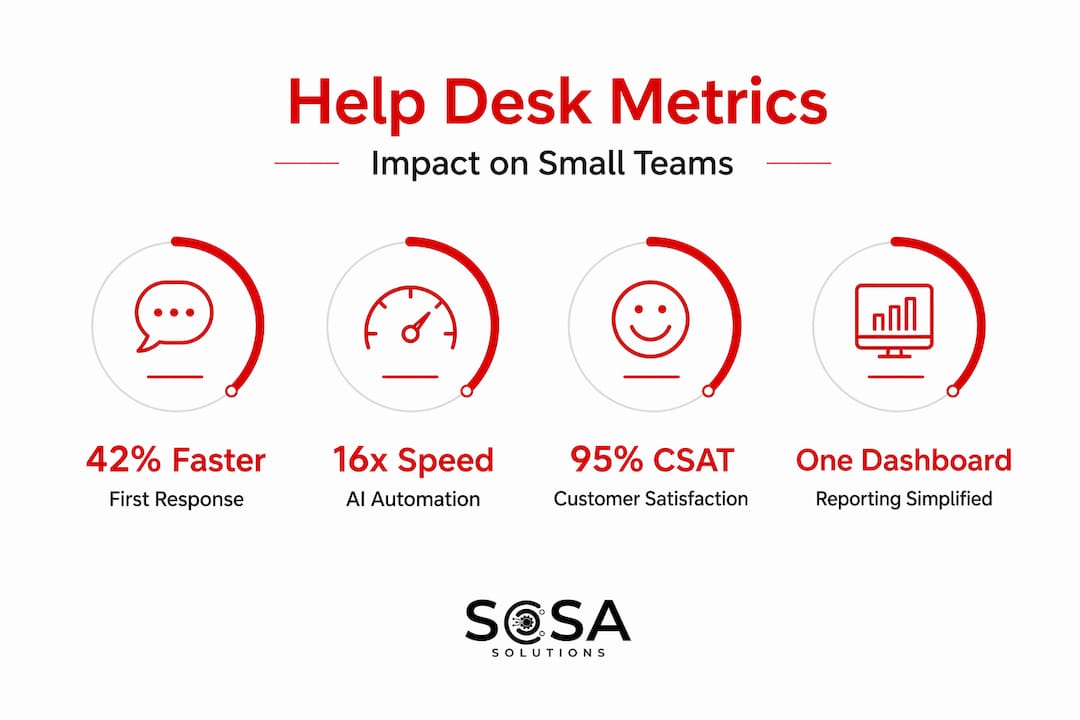
Here’s how those three metrics look in practice:
Metric | What it measures | Why it matters |
First Response Time (FRT) | How quickly a customer hears back after submitting a ticket | Sets customer expectations and signals service quality immediately |
Time to Resolution | How long it takes to fully close a ticket | Directly impacts customer effort and repeat contact rates |
Customer Satisfaction Score (CSAT) | Customer rating of their support experience | Target score is 80% or higher for a healthy operation |
One often-missed tactic for improving CSAT data quality: embed single-click surveys directly in the email that closes the ticket. This approach drives response rates above 25%, which makes your data statistically meaningful rather than a handful of responses from the most frustrated customers.
Help desk software makes all of this automatic. Without it, you’re manually compiling these numbers from spreadsheets. With it, every metric updates in real time and managers can catch problems in hours instead of weeks.
AI-assisted help desks take efficiency further. AI automation can resolve tickets 16 times faster than human-intensive processes, cutting median resolution time from roughly 71 hours down to 4.4 hours. For a small business handling time-sensitive retail or IT issues, that kind of speed creates a real competitive edge.
Help desk solutions and outsourcing options for SMBs
Once you’ve decided a help desk makes sense, the next question is build or buy. For most small businesses, that really means: hire in-house staff or outsource.
Outsourcing IT help desk services reduces support costs by 25 to 40% compared to maintaining a full-time technician, who can cost over $100,000 annually once you include salary, benefits, and training. That gap is significant for a business running on lean margins.
Key considerations when evaluating help desk solutions for SMBs:
Pricing model: Look for per-agent or per-ticket pricing rather than flat enterprise contracts. You need a structure that scales with you.
CRM integration: Your help desk should connect to your customer data so agents see purchase history, prior tickets, and account details without switching tabs.
Knowledge base support: A built-in knowledge base lets agents resolve common issues faster and lets customers self-serve before contacting support at all.
Multi-channel capability: If you’re handling support via email, phone, and social, the tool needs to centralize all of it.
Reporting dashboards: Even basic reporting is far better than none. Confirm the tool tracks FRT, resolution time, and CSAT out of the box.
For retail businesses specifically, unified IT service providers offer a significant advantage. Rather than managing separate vendors for POS support, network issues, and general help desk functions, a single provider handles all of it. Retail operators integrating systems like the Clover Mini POS benefit from having IT support already familiar with their hardware and software stack. That reduces resolution time and prevents the finger-pointing that happens when problems fall between separate vendors.
Pairing strong payment processing support with a responsive help desk function protects the most revenue-critical systems in your operation.
Learn how unified IT service providers specifically benefit retail SMBs who need consistent, end-to-end support coverage.
My take on adopting a help desk earlier than feels necessary
I’ve watched small business owners delay this decision for the same reason every time. They say, “We’re not big enough yet.” What I’ve actually seen is that waiting until you feel big enough usually means waiting until something has already gone wrong. A frustrated customer who never heard back. A support staff member who quietly burned out managing an impossible inbox. A founder checking email at midnight because no one else had the full picture.
In my experience, the businesses that get this right treat a help desk as an operating decision, not a software purchase. They’re not trying to look like an enterprise. They’re trying to make sure every customer request gets handled the same way, every time, without requiring heroics from the team.
The uncomfortable truth is that a shared inbox is a morale problem as much as it’s a process problem. When agents can’t see the full queue and don’t know what’s expected of them, they work harder and accomplish less. A help desk doesn’t just organize tickets. It tells your team that their time and attention are worth protecting.
If you’re a retail business owner managing support alongside everything else you do, I’d say this: don’t wait for the crisis. The right IT partner makes this transition much easier than going it alone.
— Christopher
How Sosasolutionsnyc supports small business IT and help desk needs

Small businesses in New York and Florida face real operational pressure, and support function failures make everything harder. Sosasolutionsnyc provides managed IT services built specifically for small and mid-sized businesses, including retail operations that need reliable, ongoing technical support without the cost of a full in-house team. From day-to-day help desk support to full infrastructure management, the team at Sosasolutionsnyc brings both the tools and the expertise to keep your operations running. For businesses preparing to open new locations, store opening IT solutions cover everything from network setup to POS configuration. Contact Sosasolutionsnyc to discuss what a scalable, cost-effective support setup looks like for your business.
FAQ
What is the role of a help desk in a small business?
A help desk manages customer and internal support requests through a structured ticket system, replacing untracked shared inboxes and making sure every request gets assigned, followed up, and resolved. For small businesses, it creates accountability and visibility that shared email simply cannot provide.
How does help desk support work for small teams?
Support requests from email, phone, chat, or web forms convert into tickets that agents can see, assign, and track. Even a two-person team benefits because both agents see the full queue, avoid duplicate responses, and can measure how long resolution is taking.
When should a small business invest in a help desk?
The clearest signal is exceeding 50 support tickets per week or adding a second support agent. At that point, a shared inbox creates lost tickets, slow responses, and zero visibility into performance.
What are the most important help desk metrics to track?
Focus on three: first response time, time to resolution, and CSAT. A focused metric set drives better decisions than tracking a dozen numbers that compete for attention.
Is outsourcing a help desk worth it for small businesses?
For most small businesses, yes. Outsourcing cuts support costs by 25 to 40% compared to hiring in-house, and provides access to tools and expertise that would take years to build internally.
Recommended


Comments