Employee Device Management for Small Business: 2026 Guide
- Sosa Solutions NYC
- a few seconds ago
- 8 min read

Employee device management for small businesses is the practice of centrally controlling, securing, and supporting every device your employees use to work. 43% of all cyberattacks target small businesses, yet only 14% feel adequately protected. That gap is exactly where a structured device management program closes the door on preventable breaches. The industry term for this discipline is endpoint management, and it covers everything from Windows PCs and Macs to smartphones and tablets. Get the basics right, and you protect company data, keep employees productive, and stay ready for audits or cyber insurance reviews.
What are the essential components of employee device management for small businesses?
The foundation of any device management program is what practitioners call the minimum viable stack. Automated patching, device visibility, and remote access are the three capabilities that deliver the highest security value with the least complexity. Every other feature is optional until your business genuinely needs it.
Automated patching
Unpatched software is the most common entry point for attackers. Many small businesses miss patch cycles entirely, which lets vulnerabilities pile up fast. Automated patch deployment removes the human step, so every device gets updates on schedule without anyone remembering to click “install.”
Device visibility and inventory
You cannot manage what you cannot see. A real-time device inventory tells you which machines are on your network, what operating systems they run, and whether any device has fallen out of compliance. Lightweight management tools handle this without the overhead of a full enterprise Remote Monitoring and Management (RMM) suite.

Remote access and troubleshooting
Remote access lets your IT support resolve problems on any device without being in the same room. This matters especially for hybrid and remote teams. Remote access without VPN dependency is now standard practice for small business device support in 2026, because VPNs add friction and configuration complexity that most small teams do not need.
Choosing the right tools
Full enterprise RMM or MDM suites often overbuild the needs of businesses with fewer than 50 devices. The minimum viable stack avoids unnecessary modules like ITSM ticketing or zero-trust architecture until the business actually requires them. Start with tools that cover patch deployment, real-time inventory, and remote troubleshooting across Windows, macOS, and mobile platforms.
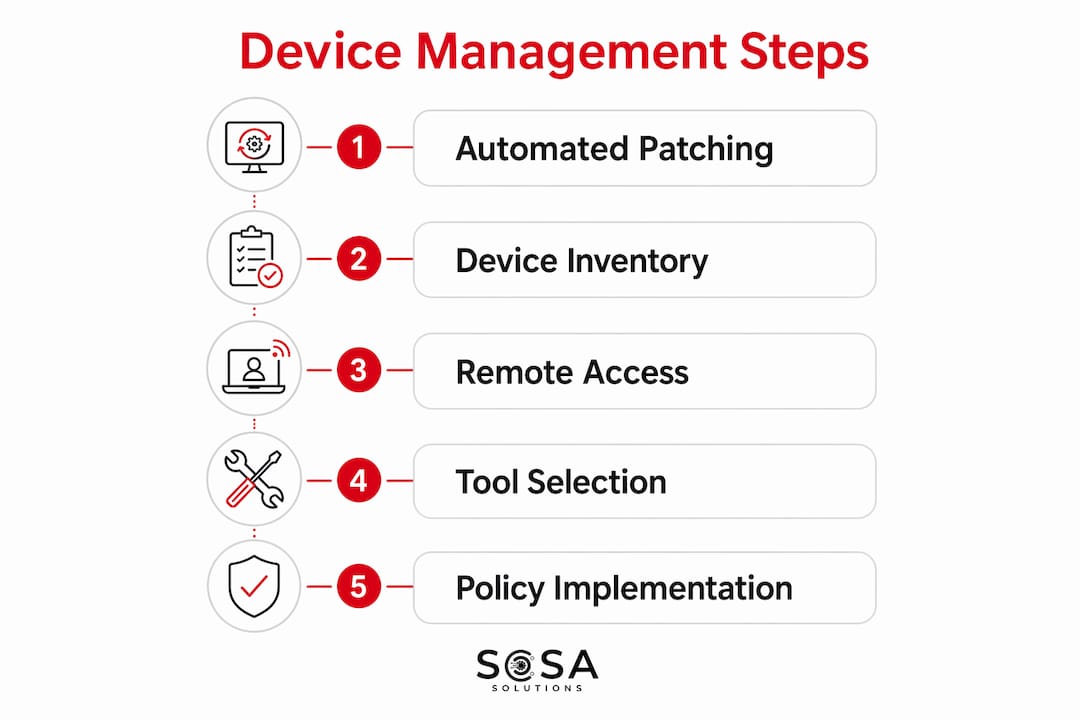
The table below maps the four core feature categories to what each one does for your business.
Feature category | What it does for your business |
Automated patching | Deploys OS and app updates on a schedule, closing vulnerabilities before attackers find them |
Device inventory | Gives real-time visibility into every managed device, its status, and compliance level |
Remote troubleshooting | Lets IT support fix issues on any device without an on-site visit |
Policy enforcement | Applies passcode, encryption, and compliance rules consistently across all devices |
Pro Tip: Start with the minimum viable stack and add modules only when a specific operational need appears. Buying a full enterprise suite before you hit 50 devices wastes budget and adds complexity your team will struggle to manage.
Device enrollment approaches differ for BYOD versus corporate-owned devices, both in security controls and in the user experience. Corporate-owned devices allow full management including remote wipe. BYOD devices require a container approach that separates work data from personal data, which protects employee privacy while still enforcing company policy.
How to implement employee device management step by step
Formal device management becomes necessary once your business reaches 25 or more devices or supports remote workers. Below is a practical seven-step rollout that works for most small businesses.
Audit your current device estate. List every device employees use for work, including personal phones used for email. Note the operating system, patch status, and whether any device has no password protection. This baseline reveals your biggest gaps immediately.
Choose tools matched to your scale. Pick a management platform that covers your device types without requiring a dedicated IT administrator to run it. For most small businesses, a lightweight endpoint management tool handles patching, inventory, and remote access in one place.
Configure your security baseline. Set minimum requirements: screen lock passcodes, full-disk encryption, and automatic screen timeout. Enforcing security policies like passcodes, encryption, and compliance rules protects data if a device is lost or stolen.
Enroll devices and communicate with employees. Walk employees through the enrollment process and explain what the management software can and cannot see on their devices. Transparency here prevents resistance and builds trust.
Automate patch deployment. Schedule patches to deploy outside business hours so employees are not interrupted. Set up a dashboard that shows patch compliance across all devices so you can spot stragglers within minutes.
Establish remote support access. Configure your remote access tool so IT support can connect to any managed device in under two minutes. This single step cuts average resolution time dramatically for distributed teams. For retail environments, a solid remote IT support setup is especially valuable when staff are spread across multiple locations.
Monitor compliance and adjust policies. Review your device dashboard weekly at first, then monthly once the program is stable. Adjust policies when you onboard new device types or when your team grows.
Pro Tip: Pilot every new policy on two or three test devices before rolling it out to the full fleet. This catches configuration errors before they affect every employee at once.
What policies and best practices support successful device management?
Technical controls only work when the right policies back them up. A written employee device policy sets clear expectations and gives IT managers the authority to enforce rules consistently.
Key elements every employee device policy should include:
Acceptable use rules: Define what work-related activities are permitted on company-managed devices and what is off-limits.
BYOD guidelines: Specify which personal devices are allowed, what management software must be installed, and what data the company can access or wipe.
Multi-factor authentication (MFA): Require MFA on all accounts that access company data. MFA blocks the majority of credential-based attacks.
Offboarding procedures: Define the steps for wiping or unenrolling a device when an employee leaves, including timelines and data backup requirements.
Incident reporting: Give employees a clear, simple way to report a lost device or suspected breach so IT can respond within minutes rather than days.
Employee security awareness training blocks 82% of breaches involving human error. That number makes training one of the highest-return investments in your entire security program. Schedule quarterly sessions and supplement them with simulated phishing tests to keep awareness sharp.
Regular audits close the gap between policy and practice. Run a patch compliance check monthly and a full device inventory review every quarter. Document the results, because cyber insurance providers and SOC 2 auditors increasingly ask for evidence of consistent device oversight.
Pro Tip: Simulated phishing tests, run two to four times per year, reveal which employees need additional training before a real attacker finds them first.
47% of SMBs under 50 employees have no dedicated IT security budget, often relying on whoever is “good with computers.” That informal approach creates blind spots that formal policies and trained support eliminate. A written policy combined with a managed tool costs far less than recovering from a breach.
How to troubleshoot common challenges in device management
Every device management program runs into predictable problems. Knowing them in advance cuts resolution time significantly.
The table below maps the most common challenges to practical solutions.
Challenge | Practical solution |
Delayed or missed patching | Automate patch deployment and set compliance alerts for devices more than 7 days behind |
Device lost or stolen | Enable remote wipe on all managed devices and test the process quarterly |
Employee resistance to management software | Communicate clearly what the tool monitors and what it does not touch on personal devices |
Remote support hurdles | Use a remote access tool that works without a VPN and supports both Windows and macOS |
Device visibility blind spots | Require enrollment before any device accesses company email or cloud apps |
Insecure offboarding | Create a checklist that triggers device wipe and account revocation on the employee’s last day |
Hybrid and remote work creates the most persistent visibility challenges. Devices that rarely connect to the office network can drift out of compliance without anyone noticing. Requiring cloud-based enrollment solves this because the management platform communicates with devices over the internet, not just the local network. For retail businesses managing devices across multiple store locations, a centralized IT management approach keeps every endpoint visible from one dashboard.
Budget constraints push many small businesses toward DIY management. DIY works at 10 devices. At 30 devices with remote workers, the time cost of manual patching and troubleshooting exceeds the cost of a managed service. Calculate the hours your team spends on device issues each month and compare that to the cost of a professional solution.
Pro Tip: Document every device incident, including what happened, how long it took to resolve, and what policy change would prevent it. That log becomes your strongest argument for budget increases and your fastest reference when the same issue recurs.
Key Takeaways
Effective employee device management for small businesses requires a minimum viable stack of automated patching, device visibility, and remote access, supported by clear written policies and regular compliance audits.
Point | Details |
Start with the minimum viable stack | Automated patching, device visibility, and remote access cover the highest-value needs without overbuilding. |
Use the 25-device threshold | Formal endpoint management becomes necessary at 25 or more devices or when supporting remote workers. |
Write a clear device policy | Define BYOD rules, MFA requirements, and offboarding steps before enrolling a single device. |
Train employees regularly | Security awareness training blocks 82% of breaches caused by human error. |
Audit and document consistently | Monthly patch checks and quarterly inventory reviews satisfy cyber insurance and SOC 2 requirements. |
The case for keeping it simple
The biggest mistake I see small businesses make is not under-investing. It is over-investing in the wrong tools at the wrong time. A 20-person retail shop does not need a zero-trust architecture or a full ITSM ticketing system. What it needs is every device patched, every device visible, and a way to fix problems remotely without driving across town.
I have watched businesses spend thousands on enterprise platforms that their teams never fully configured, let alone used. The minimum viable stack approach is not a compromise. It is the correct answer for businesses under 50 devices, and it is the foundation you build on when you do eventually need more. The businesses that get device management right are the ones that start simple, enforce their policies consistently, and add complexity only when a real operational need demands it.
The hybrid workforce trend in 2026 makes remote access non-negotiable, but it does not make everything else urgent. Prioritize the basics. Patch every device. Know what you have. Fix problems fast. Everything else follows from those three habits.
— Christopher
Sosasolutionsnyc: managed device support for NY and FL businesses
Small businesses in New York and Florida face real pressure to keep devices secure, compliant, and running without a full-time IT department on staff.

Sosasolutionsnyc provides managed IT services that cover device lifecycle management, security policy setup, automated patching, and remote troubleshooting for small and mid-sized businesses across Manhattan and Florida. The team handles enrollment, compliance monitoring, and on-site support so your staff stays focused on the work that actually grows your business. Whether you are setting up a new location or tightening security on an existing fleet, Sosasolutionsnyc builds a device management program scaled to your actual needs, not an enterprise budget.
FAQ
What is employee device management for small businesses?
Employee device management is the practice of centrally controlling, securing, and supporting all devices employees use for work. It covers patching, inventory, policy enforcement, and remote troubleshooting across Windows, macOS, and mobile platforms.
When does a small business need formal device management?
Formal device management becomes necessary once a business reaches 25 or more devices or supports remote workers. Below that threshold, manual oversight is often sufficient.
What is the difference between MDM and endpoint management?
Mobile device management (MDM) focuses specifically on smartphones and tablets. Endpoint management covers all device types, including desktops and laptops, making it the broader and more complete solution for most small businesses.
How does a BYOD policy protect company data?
A BYOD policy for small companies requires employees to install a management profile that separates work data from personal data. IT can wipe only the work container if a device is lost, without touching personal files or photos.
How much does small business device management cost?
Costs vary by tool and device count and are not publicly standardized. Lightweight endpoint management tools typically charge per device per month, making them far more affordable than full enterprise RMM suites for businesses under 50 devices.
Recommended