Benefits of Proactive IT Monitoring for Your Business

Unplanned downtime costs businesses an average of thousands of dollars per minute, yet most companies still run IT operations that wait for something to break before responding. The benefits of proactive IT monitoring go far beyond catching problems early. They reshape how your entire organization thinks about technology, cost, and risk. This article breaks down the specific advantages that matter most to IT decision-makers and business owners, backed by real data, so you can build a stronger case for shifting your monitoring strategy from reactive to preventive.
Table of Contents
Key takeaways
Point | Details |
Downtime prevention pays off fast | Proactive monitoring catches issues before users feel them, directly protecting revenue. |
ROI often exceeds 200% in year one | Organizations with mature monitoring programs see returns that far outpace tool costs. |
Alert quality beats alert volume | Tying alerts to business outcomes reduces fatigue and speeds up meaningful response. |
Security and compliance improve together | Continuous logging satisfies audit requirements while also catching threats in real time. |
Culture shift is as important as tooling | Moving from firefighting to planned engineering work changes team performance durably. |
What to look for in a proactive IT monitoring solution
Before getting into the specific advantages, it helps to know what separates a genuinely effective proactive monitoring setup from one that just generates noise. Not all monitoring tools deliver the same business value, and picking the wrong approach can actually make things worse.
Real-time continuous monitoring is the foundation. You need visibility into infrastructure performance at all times, not just scheduled check-ins. Gaps in monitoring coverage are where failures hide until they become crises.
Look for solutions that build historical baselines and use dynamic thresholds. CPU detecting early deviation is a good example: a server running at 40% load that suddenly climbs to 75% should trigger an alert long before it hits 100% and causes a failure. Static thresholds miss this kind of pattern entirely.
Business outcome alignment matters more than most buyers realize. The best monitoring solutions alert you based on what affects revenue or user experience, not just raw technical metrics. Alerts tied to business outcomes reduce fatigue and keep response teams focused on what actually matters.
Other criteria worth evaluating:
Integration with automation and incident management platforms so detected issues can trigger remediation workflows automatically
Security and compliance capabilities including continuous logging and anomaly detection that satisfies frameworks like HIPAA or SOC 2
Ease of use and clear, actionable dashboards that non-technical stakeholders can also read and act on
Scalability to match your infrastructure as it grows without requiring a complete tool overhaul
Pro Tip: Set up tiered alert severity levels from the start. Map each severity tier to a specific business impact so your team spends zero time debating whether a 3 a.m. alert is worth waking someone up for.
7 key benefits of proactive IT monitoring
1. Minimized downtime through early detection
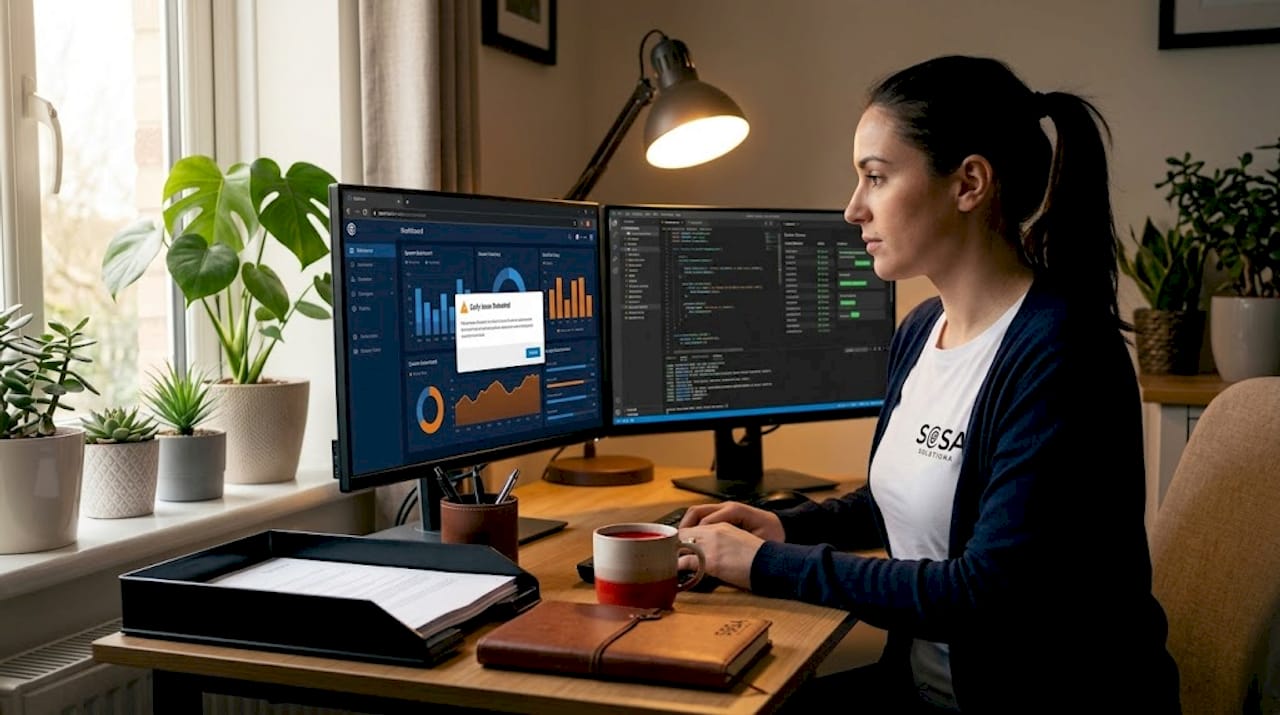
The most direct benefit is catching problems before users ever notice them. Proactive monitoring resolves incidents during business hours by identifying warning signs like failing hard drives or expiring SSL certificates well in advance. Retail businesses, in particular, cannot afford a point-of-sale system going dark during peak hours. For stores in high-traffic markets like New York, even a 15-minute outage during a Friday evening rush translates directly to lost sales and frustrated customers.
2. Significant cost savings on cloud and infrastructure spend
Cloud waste without monitoring averages 30 to 35% of total spend. Proactive monitoring gives you real visibility into what your infrastructure actually consumes versus what you are paying for, and it identifies idle or oversized resources you can right-size or shut down. Finance teams in organizations with mature monitoring programs stop seeing the monitoring investment as a cost line. They start treating it as a profit center.
3. Stronger cybersecurity posture
Threats do not announce themselves. Behavioral analytics and real-time threat intelligence built into proactive monitoring platforms identify anomalies early, catching indicators of compromise before a breach occurs. For retail IT environments handling payment data, this matters even more. Continuous monitoring of network traffic patterns can surface credential stuffing attacks, unusual login locations, or data exfiltration attempts that signature-based tools miss entirely. You can read more about how ecommerce monitoring protects revenue and uptime in high-risk retail environments.
4. Enhanced system performance and user experience
Slow systems drive customers away and frustrate employees. Proactive IT management keeps performance degradation from compounding over time. When you monitor application response times, database query durations, and network latency continuously, you spot the gradual creep of performance issues that nobody reports until they become a real problem. The result is a noticeably more reliable experience for both customers and the staff depending on your systems daily.
5. Increased engineering and IT team productivity
Mature proactive monitoring saves 4 to 8 hours per engineer each month by cutting down on manual troubleshooting. That might sound modest, but across a team of five engineers over a year, you recover 240 to 480 hours of skilled labor. That time goes back into building better systems rather than chasing down the cause of last Tuesday’s slowdown. Proactive incident management shifts every IT professional’s job from reactive firefighting to planned, purposeful work. That change alone has a measurable effect on team morale and retention.
6. Better compliance and audit readiness
Manual audit preparation consumes hundreds of engineering hours per year. Automated evidence collection through continuous monitoring logs provide a ready-made audit trail that satisfies frameworks from SOC 2 to PCI DSS. When a regulator or enterprise client asks for proof of system access controls or uptime history, you pull the report rather than reconstruct it from memory. For growing businesses handling sensitive data, this is not a nice-to-have. It is a requirement.
7. Greater business continuity and risk mitigation
“The biggest shift with proactive monitoring is moving IT teams from reactive firefighting to architects building autonomous, purposeful systems.” — Monitor.us
Business continuity is not just about disaster recovery plans. It is about reducing the probability of disasters in the first place. Proactive monitoring supports this by identifying single points of failure before they are tested by an outage, flagging capacity limits before they are breached, and giving leadership confidence that IT infrastructure can support business growth without becoming a bottleneck.
Proactive vs. reactive monitoring: the ROI comparison
The difference between proactive and reactive IT approaches shows up most clearly in three areas: when you find out about a problem, how much it costs to fix, and how your team feels at the end of a quarter.
Factor | Reactive monitoring | Proactive monitoring |
Issue discovery | After users report it | Before user impact |
Resolution timing | Emergency, often after-hours | Planned, during business hours |
Average cost impact | High (emergency labor, lost revenue) | Low (routine maintenance) |
Team stress level | High (constant firefighting) | Managed (predictable workload) |
Compliance readiness | Manual, labor-intensive | Automated, always current |
ROI in year one | Minimal or negative | 200–500% ROI typical |
Companies with poor baseline monitoring practices often see first-year ROI exceed 600% once they implement mature monitoring, because the starting point is so much emergency remediation cost that almost any investment pays back immediately. That is not a marketing figure. It reflects what happens when organizations finally quantify how much reactive IT actually costs them across downtime, labor, and cloud waste.
Pro Tip: When presenting monitoring ROI to leadership, calculate three numbers: estimated annual downtime cost avoided, cloud spend recovered, and engineering hours freed up. Multiply the hours by your average fully loaded engineering salary. The total will almost always make the tool cost look trivial.
Implementation best practices for proactive IT monitoring
Getting the tools in place is only part of the work. The organizations that extract the most value from proactive monitoring also make deliberate cultural and process changes.
Start by building accurate baselines before setting any thresholds. You need historical performance data collected over weeks, not days, to understand what normal actually looks like for your environment. Rushing to set thresholds on day one produces alert storms that erode trust in the system.
Leverage AI and automation wherever your platform allows. Unified data layers and AI-driven workflows now enable automatic remediation for common issues, such as restarting a service that has stopped responding, without requiring human intervention at all. This moves IT operations toward what the industry is calling autonomous IT management.
A few additional practices that separate teams getting real value from those still struggling:
Involve finance and product teams in setting monitoring priorities so that IT alerts are tied to business impact from the start, not just technical thresholds
Schedule proactive work within engineering sprints. Prioritizing reliability work before outages occur, including error budget management, creates a sustainable cycle of improvement rather than perpetual crisis response
Review and prune your alert library quarterly to eliminate alerts that never trigger meaningful action
Document your response runbooks so that when the monitoring system flags an issue, any team member can act on it without waiting for the one person who set it up two years ago
Pro Tip: Avoid the common mistake of monitoring everything equally. Start with the five systems whose failure would immediately cost revenue or stop operations. Monitor those deeply before expanding coverage.
My take on what proactive monitoring actually changes
I have spent years working with businesses that were convinced their IT was “good enough” right up until the moment it wasn’t. What I have seen consistently is that reactive IT is not just a technical problem. It is a cultural one that quietly erodes confidence across the entire organization.
When your team spends its days chasing alerts and explaining outages after the fact, there is no time left to plan, build, or improve. The real cost never shows up cleanly on a balance sheet. You see it in the engineer who burns out and leaves, the retail manager who stops trusting the system and creates manual workarounds, and the executive who hesitates to approve IT growth investment because “the current stuff barely works.”
What I find genuinely interesting about the current moment is how fast AI is accelerating the shift to autonomous IT operations. The teams that build strong monitoring foundations now will be in a position to let systems self-heal and self-optimize within the next few years. The teams that don’t will be even further behind.
My honest recommendation: treat monitoring as an investment in your IT team’s ability to do their best work, not just a safety net for when things go wrong. The two are not the same thing, and only one of them actually changes outcomes.
— Christopher
How Sosasolutionsnyc can put proactive monitoring to work for you
Sosasolutionsnyc has built its entire service model around one idea: your technology should never be the reason your business falls behind. For retail businesses and growing companies across New York and Florida, that means putting managed IT services in place that monitor your infrastructure continuously, catch problems before they reach your customers, and handle the work so your team can stay focused on operations.

Whether you are running multiple retail locations, opening a new store, or managing a corporate office that depends on reliable IT performance, Sosasolutionsnyc brings the same proactive approach that enterprise IT teams use, scaled and priced for your business. From store opening IT support to ongoing infrastructure monitoring and retail IT troubleshooting, every engagement is built around reducing your risk, not just responding to it. Talk to the Sosasolutionsnyc team today about what a proactive monitoring strategy looks like for your specific environment.
FAQ
What is proactive IT monitoring?
Proactive IT monitoring is the continuous, automated observation of your IT infrastructure to detect and resolve issues before they cause downtime or user impact. It uses historical baselines, dynamic thresholds, and real-time analytics to flag problems early.
How much can proactive monitoring reduce downtime?
Organizations that implement mature proactive monitoring programs typically see downtime reduced significantly because issues are caught and resolved during business hours before they escalate. Most companies also report ROI between 200 and 500% in the first year.
How does proactive monitoring improve cybersecurity?
By continuously analyzing system behavior and network traffic, proactive monitoring platforms detect anomalies that signal threats, including unauthorized access attempts and data exfiltration, often before traditional security tools raise an alarm.
What is the difference between proactive and reactive IT monitoring?
Reactive monitoring alerts you after a failure has already affected users, while proactive monitoring detects warning signs in advance. The practical difference is whether your IT team is fixing problems in a planned way during work hours or scrambling to respond to emergencies at 2 a.m.
Is proactive IT monitoring worth it for small businesses?
Yes. Small businesses often feel the impact of downtime more acutely than large enterprises because they have fewer resources to absorb losses. Proactive monitoring through a managed IT partner like Sosasolutionsnyc gives small businesses access to enterprise-grade monitoring without the cost of building an in-house operations center.
Recommended


Comments