Why Offices Need Structured IT Support to Thrive
- Sosa Solutions NYC
- Jun 20
- 8 min read

Structured IT support is defined as an organized framework for managing technology that replaces reactive firefighting with documented processes, clear ownership, and proactive risk governance. Without it, offices face network downtime costs averaging $300,000 per hour. That number alone explains why offices need structured IT support as a business priority, not an afterthought. The framework includes help desk systems, incident monitoring, documentation standards, and defined escalation paths. Together, these components turn IT from a source of daily stress into a foundation for operational stability.
Why offices need structured IT support: the core business case
The benefits of structured IT are direct and measurable. Faster issue resolution, lower security risk, and predictable costs all trace back to having a defined system rather than relying on whoever happens to be available when something breaks.
Reduced downtime costs. Network downtime averages $300,000 per hour in lost productivity and revenue. A structured help desk with documented escalation paths cuts resolution time from hours to minutes.
Stronger security posture. The average U.S. data breach costs $9.44 million and takes 277 days to detect and contain. Structured monitoring with defined incident response plans shortens that window dramatically.
Better resource allocation. When IT roles and responsibilities are clearly assigned, your team stops duplicating effort or ignoring tasks that fall between job descriptions.
Measurable performance. Documentation and metrics give office managers visibility into recurring issues, vendor response times, and system health trends. You cannot improve what you cannot measure.
Pro Tip: Track your three most frequent IT issues each month. If the same problem appears more than twice, it signals a gap in your structured support framework that needs a permanent fix, not another temporary patch.
The importance of IT support becomes obvious the moment a critical system goes down. The less obvious cost is the slow drain of unresolved minor issues, workarounds, and staff time spent troubleshooting instead of working.
How does structured IT differ from reactive IT management?
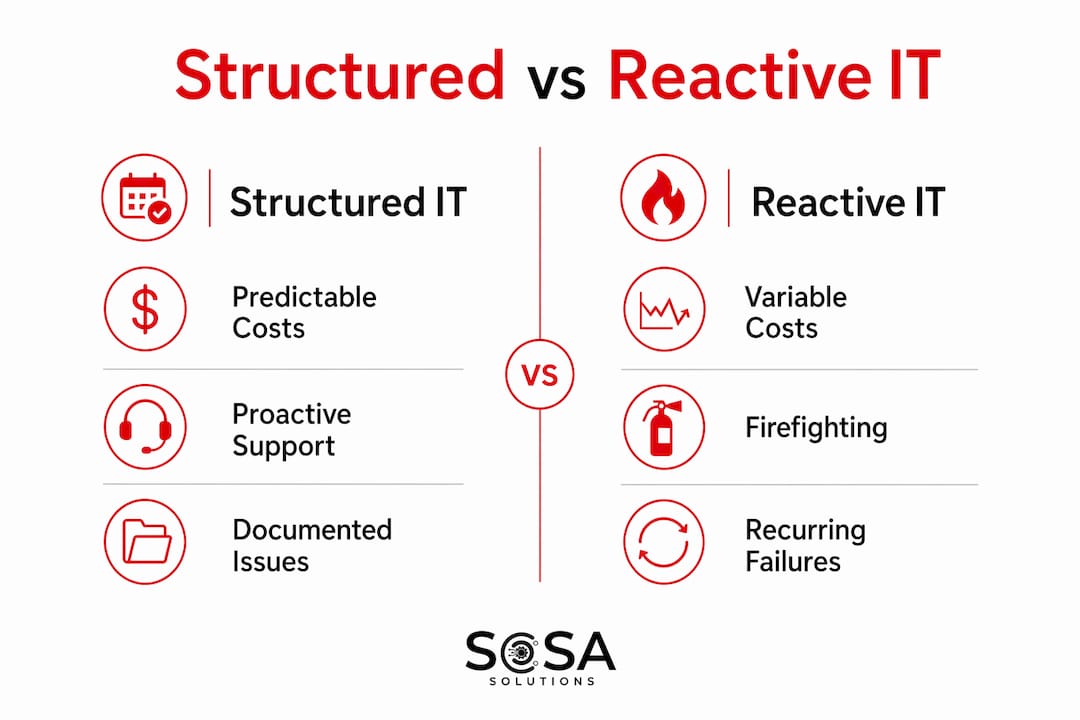
Reactive IT management means calling for help after something breaks. Structured IT means defining how systems are maintained, monitored, and recovered before anything goes wrong. The operational and financial gap between the two is significant.

Reactive IT costs 3 to 5 times more than planned maintenance contracts. Emergency technician rates, unplanned downtime, and data recovery fees stack up fast. A managed service agreement or annual maintenance contract converts those unpredictable bills into a fixed monthly cost.
Factor | Structured IT support | Reactive IT management |
Cost model | Fixed, predictable monthly fee | Variable, emergency-rate billing |
Risk management | Proactive monitoring and governance | Response after failure occurs |
Downtime frequency | Lower through preventive maintenance | Higher due to unaddressed issues |
Documentation | Maintained and current | Minimal or nonexistent |
Staff burden | Defined roles and escalation paths | Ad hoc, whoever is available |
The table above shows why IT support matters beyond just fixing computers. Reactive management creates a cycle where the same problems recur because root causes are never addressed. Structured IT breaks that cycle by treating each incident as data that informs future prevention.
Pro Tip: Before signing any IT service agreement, ask the vendor how they document recurring issues and what their process is for eliminating repeat incidents. A vendor with no answer to that question is selling you reactive support with a monthly fee attached.
Structured IT transforms IT from a cost center into a critical operational function. That shift in mindset is what separates offices that scale confidently from those that treat every tech problem as a surprise.
What are the core components of effective structured IT support?
Effective structured IT for businesses is built on five foundational elements. Each one addresses a specific category of operational risk.
Clear ownership. Every IT function, from vendor relationships to user account management, must have a named owner. Ambiguity about who handles what is how critical tasks get missed.
Accurate documentation. Structured IT replaces individual memory with documented reality. Network diagrams, software licenses, and vendor contacts must reflect the current state of your environment, not how it was set up three years ago.
Intentional system integration. Applications and workflows should connect deliberately, with defined data flows and handoff points. Unplanned integrations create hidden dependencies that break without warning.
Security defined by policy. Security is not a product you install and forget. It is a set of governed policies covering access controls, patch schedules, and acceptable use. Without written policy, enforcement is inconsistent.
Verified recovery testing. Regular backups without tested recovery are a false safety net. Offices must run documented recovery tests on a scheduled basis to confirm that backups actually work when needed.
Pro Tip: Schedule a quarterly recovery drill. Restore a non-critical system from backup and time the process. If it takes longer than your business can tolerate, you have found a gap before a real incident forces you to find it the hard way.
These components are not about adding more tools. Structured IT means clearer governance, better documentation, and aligned decision-making. You can learn more about how this applies in practice by reviewing outsourced IT support benefits for businesses that have made the shift.
What mistakes do offices make without structured IT support?
The most common mistake is assigning IT responsibilities to an office manager who lacks the technical authority to validate what they are managing. This creates what IT governance professionals call a governance gap.
Unverified security assumptions. An office manager may confirm that antivirus software is installed. They cannot confirm whether it is configured correctly, updated, or actually blocking threats. That gap is invisible until a breach makes it visible.
Untested backups. Assigning IT to office managers without adequate authority means backups often exist but recovery is never tested. The backup light is green, but the data may not be recoverable.
Undocumented processes. When IT knowledge lives in one person’s head, staff turnover becomes a business continuity risk. A departing employee takes critical system knowledge with them.
Accumulated hidden risks. Small unresolved issues compound silently. A misconfigured firewall rule, an expired SSL certificate, or an unpatched server each carry low immediate impact but create serious exposure over time.
These oversights translate directly into business continuity risks. Insurance carriers increasingly require documented IT controls as part of cyber liability coverage. Offices without structured IT support may find claims denied or premiums elevated because they cannot demonstrate governance. For offices that rely on remote operations, understanding remote IT support essentials is a practical starting point for closing these gaps.
How can office managers implement structured IT support?
Building a structured IT framework does not require a large budget or an internal IT department. It requires a clear starting point and consistent follow-through.
Conduct an IT review. Spend two to four hours mapping your current environment. List every system, vendor, and IT task. Identify who owns each one and where ownership is unclear.
Establish defined roles. Assign specific IT responsibilities to specific people or vendors. Write them down. Ambiguity is the enemy of accountability.
Adopt a managed service agreement. Proactive IT maintenance and managed service agreements convert unpredictable repair bills into fixed fees and reduce downtime. Review IT support contract options to understand what a well-structured agreement should include.
Invest in documentation. Create a simple IT runbook covering your network layout, key contacts, software licenses, and recovery procedures. Update it every time something changes.
Test and review regularly. Run quarterly backup recovery tests. Review incident logs monthly. Hold an annual IT planning session to align technology with business goals.
Pro Tip: Your IT runbook does not need to be a 50-page document. A two-page summary covering your critical systems, vendor contacts, and recovery steps is more useful than a detailed manual no one reads.
IT support is best treated as an essential business function rather than a repair cost. Offices that adopt this mindset stop reacting to technology and start using it as a competitive advantage.
Key takeaways
Structured IT support is the single most effective way for offices to reduce downtime, control costs, and manage technology risk before it becomes a crisis.
Point | Details |
Downtime is expensive | Network downtime averages $300,000 per hour, making prevention far cheaper than recovery. |
Reactive IT costs more | Unplanned IT management costs 3 to 5 times more than a structured maintenance contract. |
Documentation prevents loss | Undocumented IT processes become hidden liabilities when staff changes occur. |
Recovery must be tested | Backups without verified recovery testing provide false security and fail when needed most. |
Governance gaps carry real risk | Assigning IT to staff without technical authority creates invisible risks that compound over time. |
Why I think most offices are one incident away from a serious problem
I have seen offices with solid-looking IT setups fall apart the moment something unexpected happens. The antivirus was running. The backups were scheduled. The office manager had a vendor’s phone number saved. None of that mattered when the server failed and the recovery process had never been tested.
The honest truth is that most offices are not managing IT. They are managing the appearance of IT. There is a difference between having tools in place and having a governed, documented, tested system that actually works under pressure.
The mindset shift I keep pushing is this: stop treating IT as a cost you minimize and start treating it as a function you manage. Every other business function, from accounting to HR, has defined processes, clear ownership, and regular reviews. IT deserves the same discipline.
The offices that handle disruptions well are not the ones with the most sophisticated tools. They are the ones where someone can answer three questions without hesitation: Who owns this system? What does recovery look like? When was it last tested? If your team cannot answer those questions today, that is where structured IT support begins.
— Christopher
How Sosasolutionsnyc helps offices build structured IT support

Sosasolutionsnyc delivers managed IT services built around the same principles covered in this article: clear ownership, proactive monitoring, documented processes, and verified recovery. Serving businesses across New York and Florida, Sosasolutionsnyc replaces reactive firefighting with a fixed-cost, predictable support model that keeps your office running without surprises. Their help desk, on-site support, and infrastructure management services are designed specifically for small to medium-sized businesses that need enterprise-level IT governance without the overhead of an internal IT department. If your office is ready to move from reactive to structured, Sosasolutionsnyc is the partner to make that transition practical and permanent.
FAQ
What is structured IT support?
Structured IT support is an organized framework for managing technology that includes defined roles, documented processes, proactive monitoring, and verified recovery testing. It replaces ad hoc troubleshooting with governed, repeatable systems.
How much does unplanned IT downtime actually cost?
Network downtime costs businesses an average of $300,000 per hour in lost productivity and revenue. That figure makes proactive IT maintenance one of the highest-return investments an office can make.
Why can’t an office manager handle IT responsibilities?
Office managers typically lack the technical authority to validate security configurations, test backup recovery, or prioritize IT risks. This creates a governance gap where serious vulnerabilities go undetected until a crisis forces them into view.
What is the difference between a managed service agreement and break-fix IT support?
A managed service agreement provides proactive monitoring, maintenance, and support for a fixed monthly fee. Break-fix support bills per incident at emergency rates and addresses problems only after they occur, costing 3 to 5 times more over time.
How often should offices test their IT backup and recovery systems?
Offices should run documented recovery tests at least quarterly. Testing confirms that backups are functional and that recovery times align with what the business can actually tolerate during an outage.
Recommended
Comments